Sit back and
focus on coding.
With uptime monitoring, you won't have to worry about potential issues caused by code updates.
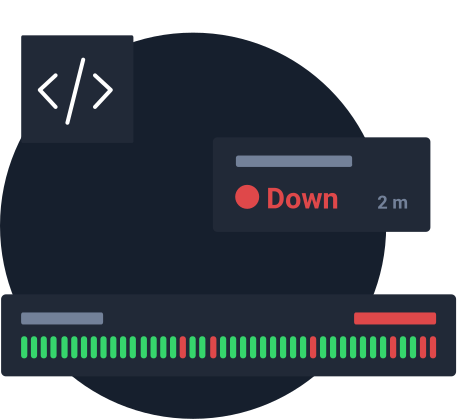





Effortless uptime monitoring.
Simply configure your monitors and alerts, sit back. We'll notify you if any incidents need your attention.

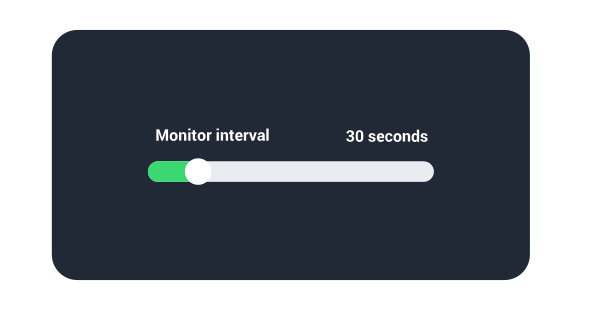
Constant monitoring checks.
Uptime monitoring helps you keep an eye on potential post-update errors and avoid downtime with nonstop 30-second monitoring.
Enhanced user experience.
Catch issues immediately to avoid losing users to downtime or degraded performance.

Keep everyone notified.
Get live alerts via up to 16 notification options, allowing yourself and your team to jump on any issue when needed.


SMS

Voice call


Slack

Webhooks

Discord

PagerDuty

Pushbullet
Benefits of hassle-free monitoring.

Receive immediate notifications
Get live alerts through your favorite personal and social channels – choose from up to 11 options including our mobile app. Avoid the negative impact on the availability of your website and act on incidents when they arise.

Monitor response time and timeout
Set up notifications for when your website is not responding for up to one minute, or when the response time is longer than usual. Detailed response time graphs will help you identify trends and stay ahead of issues.

Domain & SSL certificate monitoring
Don’t let your domain slip thanks to automated expiry notifications 30, 14 and 7 days in advance and on the expiry day. SSL certificates get the same reminders, which you can change, plus alerts for certificate errors. Make sure your website is protected all the time.
All you really care about
monitored in one place.






More reasons to consider UptimeRobot.
 FREE 50 monitors
Take advantage of the lifetime free plan and monitor up to 50 websites.
HTTP status code
Decide which HTTP codes are considered as uptime or downtime.
Add custom headers
Customize your monitoring settings and tailor your requests.
Easy-to-API
Get details and manage your monitors and alert contacts.
Detailed status page
Share details and uptime with your users or team.
Re-checks before alerting
A failed check gets a second look from a different data center in the same region before we alert you.
Spot incidents faster and eliminate any danger before it's too late.
Start monitoring in 30 secondsWhy developers love UptimeRobot.

Effortless monitoring
UptimeRobot has been instrumental in monitoring and maintaining the SLA of my services and websites. Its easy configuration has helped me quickly detect and address availability issues. The mobile app is a standout feature, providing concise summaries and instant push notifications, enabling me to stay on top of any problems, no matter where I am. In summary, UptimeRobot is an essential tool for ensuring optimal online performance.
Simple, reliable, and saved my bacon at least once!
I've been using Uptime Robot for several years to monitor a side project of mine, and it's always been great at that. At first, I was on the free tier, but I was happy to start paying for usage once it was appropriate. It impressed me a few weeks ago when it caught an SSL certification expiration before it happened. My hosting provider had a defect this year that prevented the cert from auto-renewing like normal. Without UptimeRobot, this would have caused an outage impacting 50,000 users. They didn't have to create this feature, but they did.
Best server status monitoring service
UptimeRobot is among the services that have conquered my heart. It's great that the free version also provides a lot of possibilities, that it can track the server status very successfully and detect the slightest changes.
A must service for every web developer
It's super easy to use, very useful, a priceless service for monitoring your websites! It's pretty great and easy to use.
Great product, reasonably priced
It is nice to know that my sites are up and you can't be the pricing. I run several sites for clients and it is a good feeling to know that their sites are up.
UptimeRobot is 100% effective and great partner!
It is easy to create a monitor, besides UptimeRobot has all the types of monitors someone needs to assure that our service/site is up. Allows integration tests.
Frequently asked questions.
- Can I invite a colleague to my UptimeRobot account?
Yes! UptimeRobot allows you to invite anyone with write-only access, admin access, or notify-only access.
- Does UptimeRobot include customizable status page?
Yes, you can create public or internal custom status pages and showcase your uptime to keep your users informed or improve cooperation with your team.
- How does UptimeRobot's monitoring and alerting work?
On the Free plan, UptimeRobot checks your server or website every 5 minutes. Paid plans check every 60 seconds on Solo, 30 seconds on Team and 15 seconds on Scale.
If a check fails, we re-check it from a different data center in the same region before alerting you, so a single network blip doesn't trigger a false alarm. Once an issue is confirmed, we notify you right away by email, SMS, voice call, mobile push notification or one of 17+ integrations like Slack and PagerDuty.
Get your FREE account now, 50 monitors included!
Start monitoring in 30 secondsNo credit card required!
Available also on:



 Incident management
 IT alerting software
 Status pages