Competitor pricing changes constantly. Flash discounts, limited-time bundles, shipping tweaks, and quiet price updates can all happen without warning.
Manually checking competitor sites doesn’t scale past a handful of products. It is slow, error-prone, and easy to miss changes that actually affect conversions.
Price tracking today is not just about the number on the page. It includes discounts, promotional banners, availability, and even how prices are framed.
Below is a practical comparison of competitor price tracking tools, focused on real-world use cases. It shows where lightweight website change monitoring is enough, when full price intelligence platforms make sense, and which options fit different ecommerce, SaaS, and marketing teams.
Key takeaways
- Competitor price tracking is about more than base prices. Discounts, bundles, shipping costs, and availability all matter.
- Website change monitoring is often enough for e-commerce and SaaS teams.
- Dedicated price intelligence tools are better suited for large catalogs, structured SKUs, and long-term pricing analysis.
- Alert speed and setup effort matter more than feature count for most teams.
- The best tool depends on how often prices change, how many competitors you track, and how quickly you need to react.

Quick comparison: Top tools for competitor price tracking
Not every price tracking tool does the same job. Some focus on fast alerts when something changes on a page. Others are built for large catalogs, historical analysis, and pricing strategy.
This comparison highlights what actually matters when choosing a tool: how fast alerts arrive, how much setup is required, and what kind of teams each option fits best.
| Tool | Best use case | Setup difficulty | Alert speed | Pricing range |
| UptimeRobot | Monitoring competitor pricing pages, discounts, and availability with instant alerts | Very low | Minutes-level | Free to low-cost |
| Visualping | Visual price change detection for non-technical teams | Low | Slower on lower tiers | Mid-range |
| Prisync | Tracking structured product catalogs with SKU matching | Medium | Scheduled checks | Mid to high |
| Price2Spy | Enterprise pricing intelligence and MAP monitoring | High | Scheduled and batch | High |
| Competera | Strategy-driven pricing optimization at scale | Very high | Analytical, not real-time | Enterprise |
Choose in 60 seconds
For more fast answers, we’ve distilled some more info for you:
- Need minutes-level alerts when a competitor changes a price, discount, or availability?
Use UptimeRobot. - Want visual snapshots showing exactly what changed on a page?
Use Visualping. - Tracking hundreds or thousands of SKUs across structured catalogs?
Use Prisync. - Managing enterprise pricing, MAP compliance, and long-term pricing strategy?
Use Price2Spy or Competera. - Only care about knowing when something changes, not building pricing models?
Website change monitoring is usually enough.
What is competitor price tracking?
Competitor price tracking means monitoring how competitors price their products or services over time. Teams use it to spot changes early and understand how pricing shifts affect positioning, conversions, and revenue.
It’s often confused with price intelligence, but they’re different things.
Competitor price tracking is about detecting changes.
Price intelligence is about analysis, modeling, and long-term pricing strategy.
What data is usually tracked
Most teams don’t just track the base price. They usually monitor:
- Base product or plan price.
- Discounts, promo banners, and strikethrough pricing.
- Shipping costs and additional fees.
- Product availability or stock status.
These elements often change independently and can influence buying decisions more than the headline price.
Why website change monitoring is often enough
For many e-commerce and SaaS teams, prices live on public webpages and change without notice. Website change monitoring works well in these cases.
It checks specific page elements and sends alerts when something changes. That can include a price number, a discount badge, a shipping fee, or an availability message.
The setup stays simple. There’s no scraping logic to maintain and no SKU mapping to manage. It’s a practical option when tracking a small to medium number of competitors or pricing pages that change frequently.
How to choose a competitor price tracking tool
The right tool depends on how fast prices change, how many pages you track, and how much complexity your team can handle.
Focus on a few basics:
- Alert speed: Fast checks matter for flash sales and short-lived discounts.
- Setup effort: Tools that rely on scraping or SKU mapping take longer to maintain.
- Data tracked: Some teams only need change alerts, not historical pricing models.
- Technical overhead: Complex platforms assume a dedicated pricing or data team.
- Budget: Enterprise pricing tools come with enterprise costs.
If you’re unsure, start with the basic tools and see if you want to upgrade later to a more complex setup.
The best competitor price tracking tools (ranked)
Some focus on detecting changes on live webpages and alerting teams quickly. Others are built for structured product catalogs, historical analysis, and pricing strategy at scale.
The ranking reflects how well each tool fits common real-world use cases, including setup effort, alert speed, and practical value for e-commerce, SaaS, and marketing teams.
1. UptimeRobot Website Change Monitoring Tool
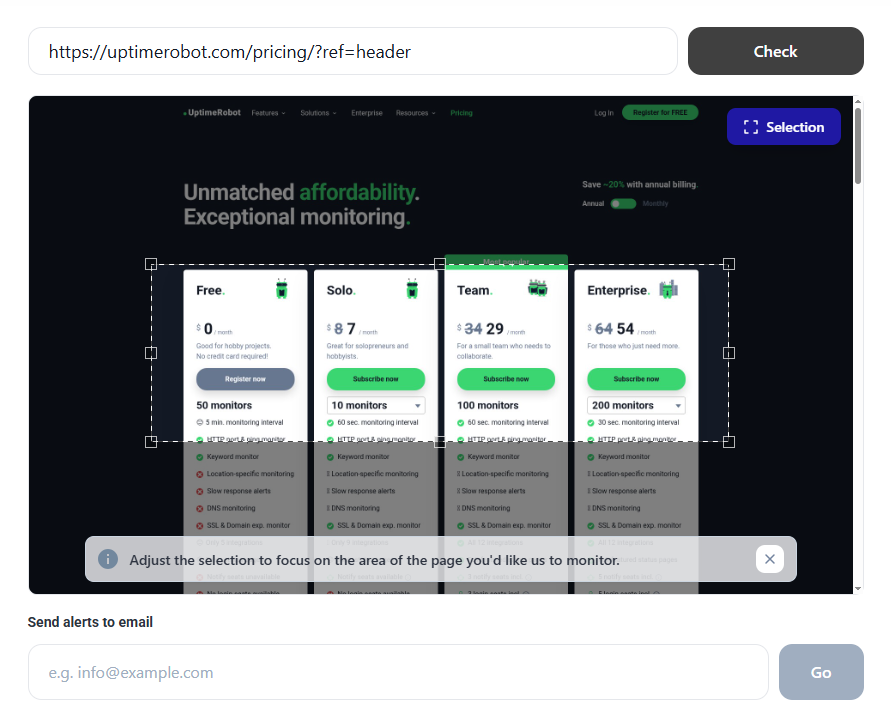
UptimeRobot tracks competitor price changes directly on live webpages and sends alerts as soon as something changes. There’s no scraping setup, no product feeds, and no SKU mapping to maintain.
It works well for real-world pricing pages, where discounts, shipping fees, and availability often change separately from the base price. For many teams, that level of visibility is enough to stay competitive.
However, it’s not designed for historical pricing analysis or advanced pricing models. The focus stays on fast detection and simple alerts rather than long-term price intelligence.
Best for
- E-commerce teams tracking competitor product and category pages.
- SaaS teams monitoring pricing and plan pages.
- Marketers keeping an eye on promotions and limited-time offers.
Key features
- Website change detection focused on specific page elements like prices, discounts, and availability.
- Visual and text-based monitoring to see exactly what changed.
- Real-time alerts via email, SMS, Slack, or webhooks.
- High-frequency checks, suitable for fast-moving pricing pages.
This feature is free. Try it now!
2. Visualping
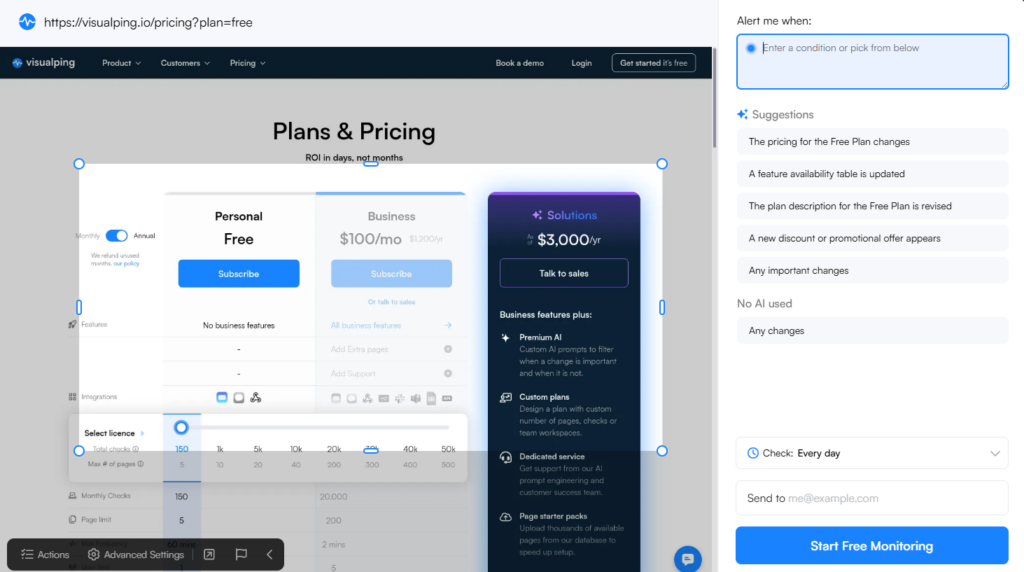
Visualping focuses on visual change detection. Instead of tracking raw text or page elements, it captures screenshots and highlights what changed on the page.
That makes it easy to spot price changes that are embedded in banners, images, or complex layouts. It’s especially useful when prices aren’t cleanly separated in the page structure.
Alert speed and scale depend heavily on the plan. Lower tiers check less frequently, which can be limiting for fast-moving pricing pages.
Best for
- Marketing teams tracking competitor promotions.
- Agencies monitoring pricing pages for multiple clients.
- Non-technical users who prefer visual diffs over raw change logs.
Key features
- Screenshot-based change detection.
- Visual diffs that highlight what changed.
- Email and Slack alerts.
- Simple setup for public webpages.
3. Prisync
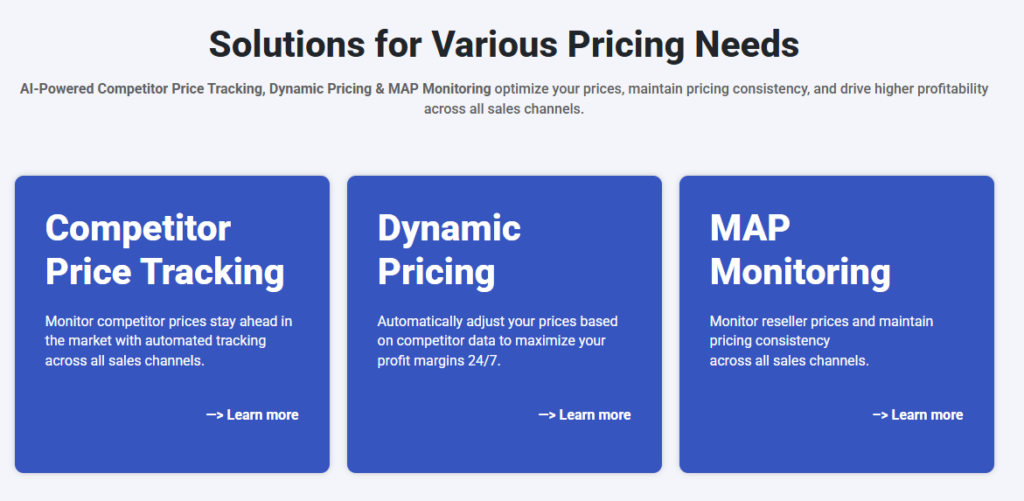
Prisync is a traditional e-commerce price tracking tool built around structured product catalogs. Instead of monitoring page changes, it focuses on tracking prices at the SKU level across competitors.
That approach works well for large catalogs and standardized products, but it assumes clean data and consistent product matching. Setup takes more effort than website change monitoring, especially when onboarding a large inventory.
Best for
- Large e-commerce stores with structured product catalogs.
- Pricing and revenue teams managing many SKUs.
- Retailers that need historical pricing data.
Key features
- Automated competitor and SKU matching.
- Historical price tracking and trend analysis.
- Price comparison dashboards.
- Scheduled price checks across large catalogs.
4. Price2Spy
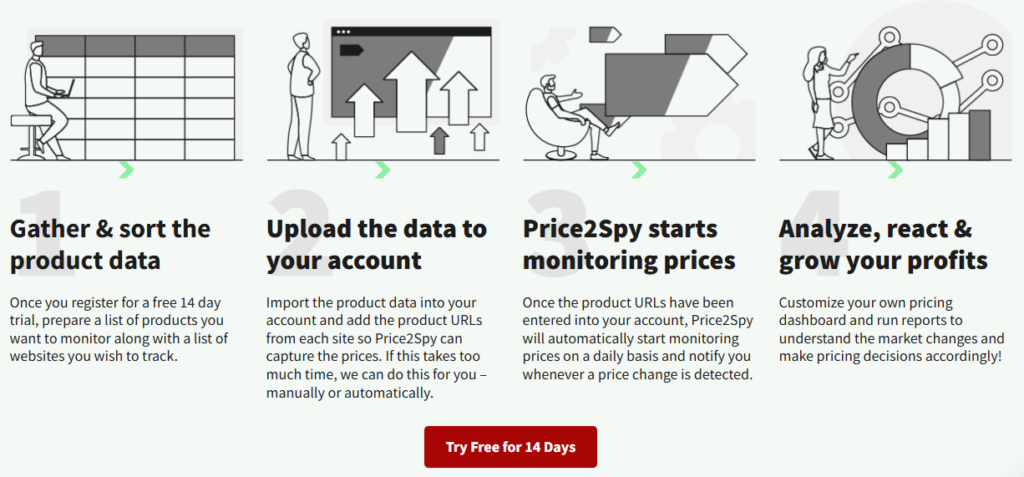
Price2Spy is a pricing intelligence platform built for large retailers and brands with complex pricing requirements. It goes beyond change detection and focuses on competitive pricing analysis at scale.
The platform supports advanced use cases like MAP monitoring and structured competitor analysis, but that power comes with higher setup effort and a steeper learning curve. It’s often more than smaller teams need.
Best for
- Enterprise retailers and global brands.
- Teams managing MAP compliance.
- Organizations with dedicated pricing or analytics teams.
Key features
- Large-scale competitor price tracking.
- MAP and compliance monitoring.
- Advanced pricing analytics and reporting.
- Support for complex pricing rules.
5. Competera
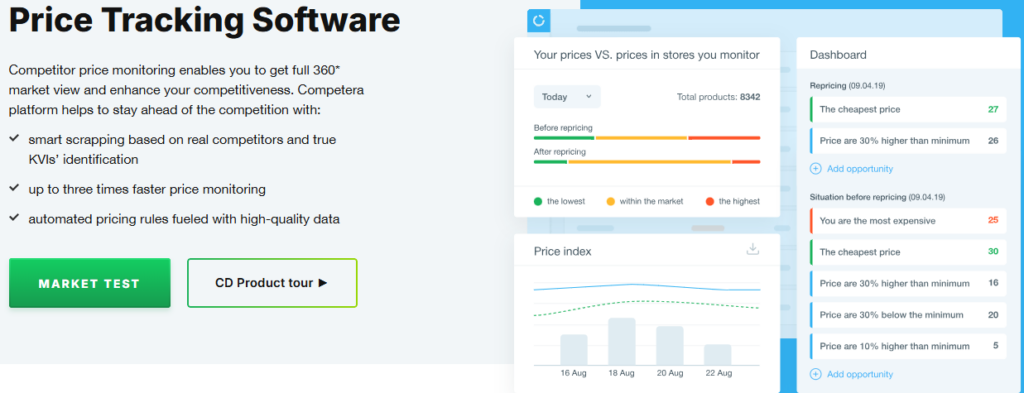
Competera is built for pricing optimization rather than simple price tracking. It combines competitor data with internal performance data to recommend pricing actions using algorithmic models.
That makes it powerful for large retailers, but less practical if you only need to know when a competitor changes a price or launches a promotion. Onboarding takes time, and the platform assumes an experienced pricing team.
Best for
- Large retailers with dedicated pricing teams.
- Businesses running dynamic or algorithmic pricing.
- Organizations focused on margin optimization at scale.
Key features
- AI-driven pricing recommendations.
- Deep competitor and market analysis.
- Integration with internal sales and performance data.
- Enterprise-level reporting and optimization tools.
Website change monitoring vs. traditional price tracking tools
Not every pricing use case needs a full price intelligence platform. In many situations, website change monitoring is enough.
When website change monitoring works well
Website change monitoring is a good fit when prices live on public pages and change frequently.
Common examples include:
- Detecting flash sales or limited-time discounts.
- Tracking strikethrough pricing and “from” prices.
- Monitoring shipping cost or fee changes.
- Watching availability messages like “out of stock” or “limited supply.”
The setup stays lightweight, and alerts arrive quickly.
When traditional price tracking tools make sense
Dedicated price tracking and intelligence tools work better when managing large catalogs and long-term pricing strategy.
They’re useful when:
- Tracking hundreds or thousands of SKUs.
- Comparing structured product data across many competitors.
- Analyzing historical pricing trends.
- Managing MAP compliance or pricing rules.
Cost and complexity tradeoffs
Website change monitoring tools are faster to set up and easier to maintain. Traditional price tracking platforms offer deeper analytics but require more time, data hygiene, and budget.
The right choice depends on how much structure and strategy your pricing operation actually needs.
Common mistakes in competitor price tracking
Even with the right tool, price tracking can go wrong if the setup or expectations are off. These are the issues teams run into most often.
- Tracking too many competitors
Monitoring every competitor creates noise. It’s usually more useful to track a small set of direct competitors that actually influence buying decisions. - Ignoring shipping, bundles, and promos
A lower base price doesn’t always mean a better offer. Shipping costs, bundles, and promotional messaging often change independently and have a bigger impact. - Alert fatigue
Too many alerts lead to ignored alerts. If every minor change triggers a notification, real pricing moves get missed. - Reacting without a strategy
Matching every competitor price change can hurt margins. Price tracking works best when tied to clear rules about when to react and when to hold.
How to turn price alerts into action
Price tracking only helps if alerts lead to decisions. Without a plan, teams either overreact or ignore changes entirely.
A few simple rules make alerts actionable.
Set pricing rules upfront
Decide in advance how to respond to different types of changes.
For example:
- Match competitor prices only during major promotions.
- Ignore short-term discounts that don’t affect conversion.
- React immediately when availability or shipping terms change.
Clear rules cut down on guesswork and knee-jerk reactions.
Know when to match and when to ignore
Not every price drop needs a response. Some competitors discount aggressively or run constant promotions that don’t reflect sustainable pricing.
Price tracking is often more useful for understanding positioning than copying prices.
Use alerts to inform promotions and messaging
Alerts can highlight opportunities, not just threats.
Examples include:
- Launching a counter-promotion when competitors raise prices.
- Emphasizing value or features when competitors discount heavily.
- Adjusting messaging when competitors change bundles or shipping terms.
Used this way, price tracking supports marketing and positioning, not just pricing decisions.
Conclusion
Competitor price tracking doesn’t have to be complex to be effective. For many teams, knowing when prices, discounts, or availability change is more useful than running deep pricing models.
Website change monitoring covers a large share of real-world pricing scenarios. It’s fast to set up, easy to maintain, and works well for e-commerce stores, SaaS pricing pages, and promotional campaigns.
More advanced price intelligence tools still have a place, especially for large catalogs and enterprise pricing teams. The key is choosing a tool that matches how your pricing actually works, not how pricing works in theory.
FAQ's
-
Yes. Monitoring publicly available pricing information is legal in most regions. Problems usually arise only when scraping violates a website’s terms of service or attempts to access restricted data.
-
It depends on how fast prices change. Daily checks may be enough for stable pricing. Flash sales, promotions, and SaaS pricing pages often benefit from more frequent monitoring.
-
Yes. Website change monitoring tracks visible page changes without scraping structured data or product feeds. It’s a simpler option for many teams.
-
It is, as long as prices are visible on the page. It works especially well for tracking discounts, banners, strikethrough pricing, shipping costs, and availability messages.




