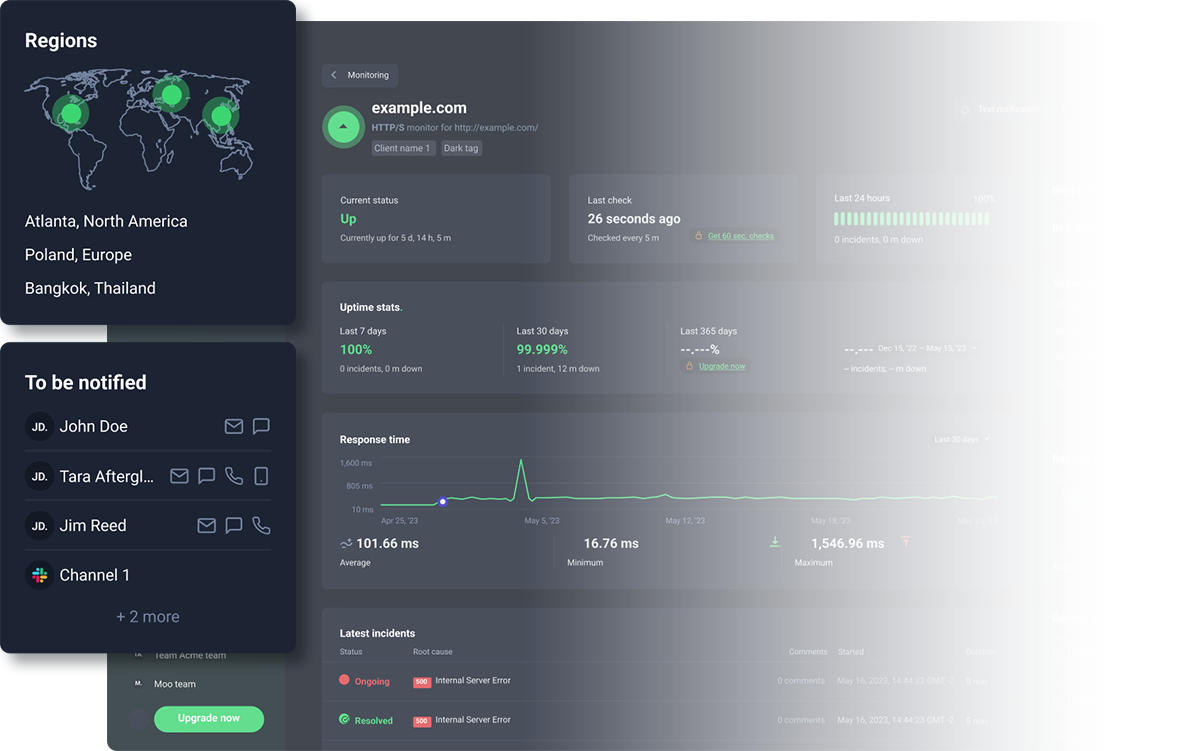
Self-hosted monitoring costs more than you think.
And it's only as reliable as one server.
You pay for the server and the hours to keep it running. When that server fails, nothing tells you your site is down.
Your self-hosting costs, per year.
The sliders start at what UptimeRobot users typically run. Adjust them to match your setup.
Self-hosting cost calculator inputs
Fully loaded hourly rate for whoever keeps the server running.
Patching, backups, restarts, and the updates that break something.
UptimeRobot's alert integrations take a few clicks to set up.
Where does your monitor run?
Annual cost of ownership
true cost
all-in
You'd save $2,214/yr
Self-hosting costs 21.5× more once the hours are counted. Compared against: Solo, 10 monitors.
What's inside the self-hosted number
| Maintenance labor | $1,800 |
| Alert channels upkeep | $450 |
| Hosting | $72 |
Self-hosting costs more than a server.
Keeping a self-hosted monitor running takes ongoing work. These six recurring tasks all eat into engineering time and are factored into the maintenance slider.
-
Server
A small VPS starts around $6 a month, and it needs ongoing maintenance and patching.
-
Runtime
A container runtime, a process manager, and a restart policy, so the monitor survives unplanned reboots.
-
Certificates
If you want the dashboard on HTTPS, you issue the certificate and renew it yourself.
-
Database backups
A self-hosted tool keeps every check, incident, and setting on that one server. Lose the server and you lose the history with it.
-
Version updates
Releases ship on the project's schedule, not yours, and the security ones are not optional.
-
Repairs
When something breaks, you need to fix it, which costs both time and money.
Individually, these tasks may not take much time. Together, they add up in engineering hours and infrastructure costs.
The hours cost more than the hosting.
Real monitoring runs more than one check type across more than one alert channel. On a self-hosted server, each of those is setup work and upkeep you own. These numbers come from UptimeRobot users.
10
Median monitors per account
Every one of them goes dark if your self-hosted server does.
26%
Run more than one monitor type
HTTP, keyword, ping, or port checks. Each layer is setup work you own.
80%
Use two or more alert channels
Self-hosted, email needs your own SMTP account and SMS needs your own gateway account. UptimeRobot sends both.
Cost isn't the only difference.
Self-hosting also changes what happens when your monitoring infrastructure fails or a single location reports a false outage.
The blind spot self-hosting can't fix
Your monitor runs on your infrastructure. If the network, the power, or the region goes down, your app and your monitor go down together and the alert never fires. UptimeRobot checks from outside your stack, so the alert still fires.
Alerts your team stops trusting
A self-hosted monitor checks from one location, so a problem along that route can look like an outage. Enough false positives and people start ignoring alerts, increasing the risk of missing a real outage. UptimeRobot re-checks a failed check from a second data center before it alerts, on every plan including Free.
Self-hosting is a reasonable call for a handful of monitors and someone who doesn't mind the upkeep. The numbers move once the monitors, the channels, and the hours start adding up.
Monitoring without the maintenance.
Alerts built in
Email, SMS, voice calls, Slack, and Microsoft Teams, without wiring up and maintaining each channel yourself.
Maintenance handled
No containers, no certificate renewals, no weekend patching. Monitoring stays off your sprint board.
Plans from $9/mo
Solo covers 10 or 50 monitors on annual billing. Team adds shared access and 100 monitors at $35/mo. Your checkout price may differ by region.
Keep the monitoring. Skip the maintenance.
Checks from outside your stack and built-in alerts, without the infrastructure and upkeep of self-hosting.
Start monitoring for freeFrequently asked questions.
No. The software is free to download, but you pay for a server, for engineer time on updates and breakage, and for the setup and upkeep of every alert channel. Running it on infrastructure you already have adds no hosting cost and still costs the same hours. The calculator turns those into an annual figure you can hold against a paid plan.
It adds three numbers: your maintenance hours × your hourly rate × 12, about two hours a year of setup and upkeep per alert channel at that same rate, and twelve months of hosting. It then compares the total against the UptimeRobot plan that covers your monitor count. Change any slider and the result updates.
The smallest one that covers your monitor count. All prices are annual billing and your checkout price can differ by region.
Monitors | Plan | Per month, billed annually | Per year |
|---|---|---|---|
Up to 10 | Solo | $9 | $108 |
11 to 50 | Solo | $19 | $228 |
51 to 100 | Team | $35 | $420 |
101 to 200 | Scale | $65 | $780 |
201 to 500 | Scale | $149 | $1,788 |
Above 500 | Enterprise | Custom, book a demo |
|
From UptimeRobot users, not from the monitoring industry as a whole. The median account runs 10 monitors, 26% run more than one monitor type on the same domain, and 80% use two or more alert channels. The average monitor count is far higher than the median, because a small number of large accounts run thousands, which is why the calculator starts at the median.
It defaults to $75 an hour as a fully loaded estimate: salary, payroll costs, and overhead, not take-home pay. Move the slider to whatever your team actually costs. It is the single biggest driver of the result, because maintenance labor is usually larger than hosting and alert channel upkeep put together.
When you run a handful of monitors, someone on the team is happy to maintain the server, and you accept that a single-location check can miss a real outage or report one that isn't happening. The calculator is aimed at the point past that, where the hours, the channels, and the blind spot make a paid plan the cheaper option.
Usage baselines (median of 10 monitors, average 31; 26% using multiple monitor types, and 80% using multiple alert channels) are based on UptimeRobot users. The calculator starts at the median as a realistic starting point, not as a benchmark for the wider monitoring industry.
Labor cost = maintenance hours × hourly rate × 12. The monitors slider determines which UptimeRobot plan is used for comparison and suggests maintenance hours until you set them yourself.
Engineer hourly rate defaults to an estimated $75 per hour. Adjust the slider to reflect your team's costs.
Alert channels upkeep assumes about 2 hours of setup and ongoing maintenance per channel each year, calculated at your engineer hourly rate.
UptimeRobot pricing uses current USD list prices for annual billing. The calculator selects the plan that fits your monitor count. Your local price may vary by region.
Hosting figures are typical VPS list prices. "Same infrastructure" assumes no extra hosting spend, though the labor still applies.