Prog, who prefers to be referred to by his online handle, works a call center job, but outside of work, he’s getting back into programming and experimenting with what he can build with Python.
He had some experience with C++ and JavaScript from his school days, but after researching which programming languages were popular and useful, he decided to make Python his primary language.
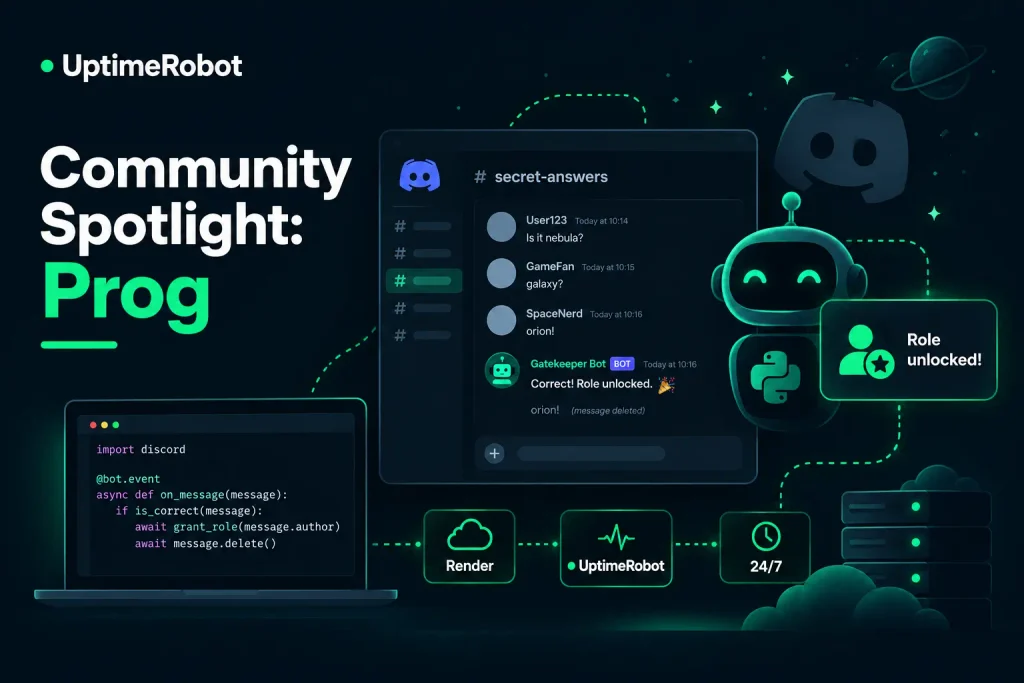
As a gamer and longtime Discord user, Prog decided to use Python to build something for a space he already knew. His gatekeeper bot watches for secret answers and automatically unlocks roles when someone gets them right.
We talked with Prog about getting back into programming, building his first Discord automation, keeping the bot available with UptimeRobot, and where he wants to take the project next.
Starting with what you know
Prog had wanted to build a business of his own for a long time. He’d tried different ideas, but despite being the person others considered “pretty good with computers,” he hadn’t seriously explored building something around that skill.
Programming wasn’t completely new to him. He had studied some C++ and JavaScript at school, although enough time had passed that he describes that experience as “wayyyy back.”
After deciding to give programming another shot, he researched which languages would be useful to learn and landed on Python.
The next question was what to build with it.
I’ve been using Discord for a while because I’m a big gamer. So I thought, why not? I’m familiar with Discord [and] Python.
He’d previously experimented with his own private Discord servers, mostly playing around with their appearance and setup. He had also started programming an AI companion, which introduced him to the idea of creating bots that could perform tasks for people.
That made Discord bots a natural place to start.
A gatekeeper that knows the secret answer
Prog built a lightweight gatekeeper bot in Python using discord.py.
The concept is simple. The bot monitors a designated Discord channel where members can try to answer a secret question or riddle. When somebody submits the correct answer, the bot automatically grants them a specified reward role.
It then deletes the winning answer so the solution isn’t spoiled for everyone else.
That opens up several potential uses for Discord communities. A server could use it to gate access to a new channel, run a puzzle or ARG, reward members who complete a challenge, or progressively unlock parts of a community.
For now, Prog is starting with people who simply want to experiment with bots on their own servers. But he already has ideas for taking the concept further.
Then I plan to move towards providing more automated tasks for streamers and their membership audience, gaming tournament holders, and other membership-related server owners.
It’s a small first project, but one that gives him room to add more automation as he learns what those communities need.
Keeping the bot online
A Discord bot isn’t particularly useful if it disappears whenever its hosting environment goes idle.
Prog hosts the project on Render’s free web tier and uses Flask for its web service, alongside a background ping worker. UptimeRobot handles the external monitoring side of the setup, giving him a way to keep an eye on whether the service remains available.
As someone relatively new to this kind of infrastructure, Prog appreciated that getting started didn’t add another intimidating technical hurdle.
The setup was very simple and easy. The interface is user friendly too. Especially the modern dark theme design. No technical intimidation from it.
For Prog, the appeal was being able to set up monitoring quickly without getting sidetracked by another complicated tool. The straightforward setup meant he could get it running and go back to working on the bot itself.
Building beyond the first bot
The gatekeeper is still an early project, and Prog’s plans go beyond checking secret answers.
He’s interested in creating more automated tasks for communities where Discord is part of how people interact, particularly streamers, gaming tournament organizers, and membership-based servers.
That progression makes sense for the way he got started. Rather than choosing an unfamiliar problem simply to practice Python, he began with a space he already understood as a gamer and Discord user.
The gatekeeper is a starting point for more ambitious bots. It listens for an event, evaluates what a user submits, takes an action inside the server, and keeps running in the background.
From there, there are plenty of directions to explore.
Making problems harder to miss
As Prog builds more automation, he’s also starting to think about what happens when the infrastructure behind it has a problem.
Render provides server status information, but Prog doesn’t spend his entire day watching it. He’s usually working on something else, which means he’d like problems to be much harder to miss when they happen.
It would be nice if I can get some kind of top level window popup notification for any issues that happen on the server, as I don’t always check it and work on other tasks.
He’d also like more guidance around setting monitoring up and understanding what it can do. So far, he says he has largely relied on Gemini to walk him through the process.
For someone coming back to programming after years away from it, that learning process extends beyond Python itself.
Building a bot means learning how to deploy it, keep it running, monitor it, and gradually figure out what the people using it might need next.
Prog is still near the beginning of that process. But he has something running, a familiar community to build for, and a clear idea of where he wants to experiment next.
See what Prog is building
Prog doesn’t use public social media for his development work, but you can find him on Reddit as u/ProgM7, where he shared a video of the Discord gatekeeper bot in action.