Incident management tools promise order during chaos, but the wrong setup creates more noise than clarity. Alerts pile up, ownership is unclear, and response time slips while teams argue over what matters. During an outage, that friction costs minutes you don’t have.
This guide looks at incident tools from the perspective of real response workflows. How alerts are routed, how context is preserved, and how handoffs work when incidents stretch across teams and time zones. It’s grounded in how incidents actually unfold, not idealized diagrams.
You’ll learn what to look for in an incident management tool, where common setups fail, and how to match tooling to your team’s maturity. If you want faster acknowledgment, cleaner escalation, and fewer missed signals, let’s dig in.
Best incident management tools
Choosing the right incident management tool is crucial for minimizing downtime, streamlining response processes, and keeping your business running smoothly. To help you decide, we’ve compared key solutions based on pricing, free trial availability, and feature tiers—from basic plans to enterprise-level offerings.
Whether you need a simple alerting system or a full-service incident response platform, this table gives you a side-by-side comparison of industry-leading tools like PagerDuty, OpsGenie, ServiceNow, FreshService, and more. Find the best fit for your team’s needs and budget.
| Tool | Free plan | Free trial | Paid pricing |
|---|---|---|---|
| UptimeRobot | Yes, 50 monitors | No separate trial advertised | From $12/month, billed annually |
| Zendesk | No | 14 days | From $19/agent/month, billed annually |
| ServiceNow ITSM | No public free plan | No public trial duration confirmed | Custom quote |
| Freshservice | No | Free trial offered; duration not confirmed | From $19/agent/month, billed annually |
| PagerDuty | Yes, up to 5 users | Free trial offered; duration not confirmed | From $21/user/month, billed annually |
| Spiceworks Cloud Help Desk | Yes, Core plan | Not required for free plan | Premium from $5/employee/month, billed annually |
| NinjaOne Ticketing | No public free plan | 14 days | Custom quote |
| BigPanda | No public free plan confirmed | No public trial confirmed | Contact sales |
| New Relic | Yes, includes 100 GB/month of data ingest | Free tier available | Additional ingest from $0.40/GB, plus applicable user charges |
| incident.io | Yes, Basic plan | Free plan available | From $15/user/month, billed annually; on-call costs extra |
| xMatters | Yes, up to 5 users | Free plan available | From $15/user/month |
| ClickUp | Yes, Free Forever | Feature trials available on free plans | From $7/user/month, billed annually |
| Jira Service Management | Yes, up to 3 agents | 14 days for paid plans | Standard from $20/agent/month |
| FireHydrant | Yes, up to 10 responders | 14 days | Pro from $25/responder/month, billed annually |
Pricing checked October 2026. Prices are in USD. Plans may charge separately for additional users, alerts, data usage, or advanced features.
UptimeRobot
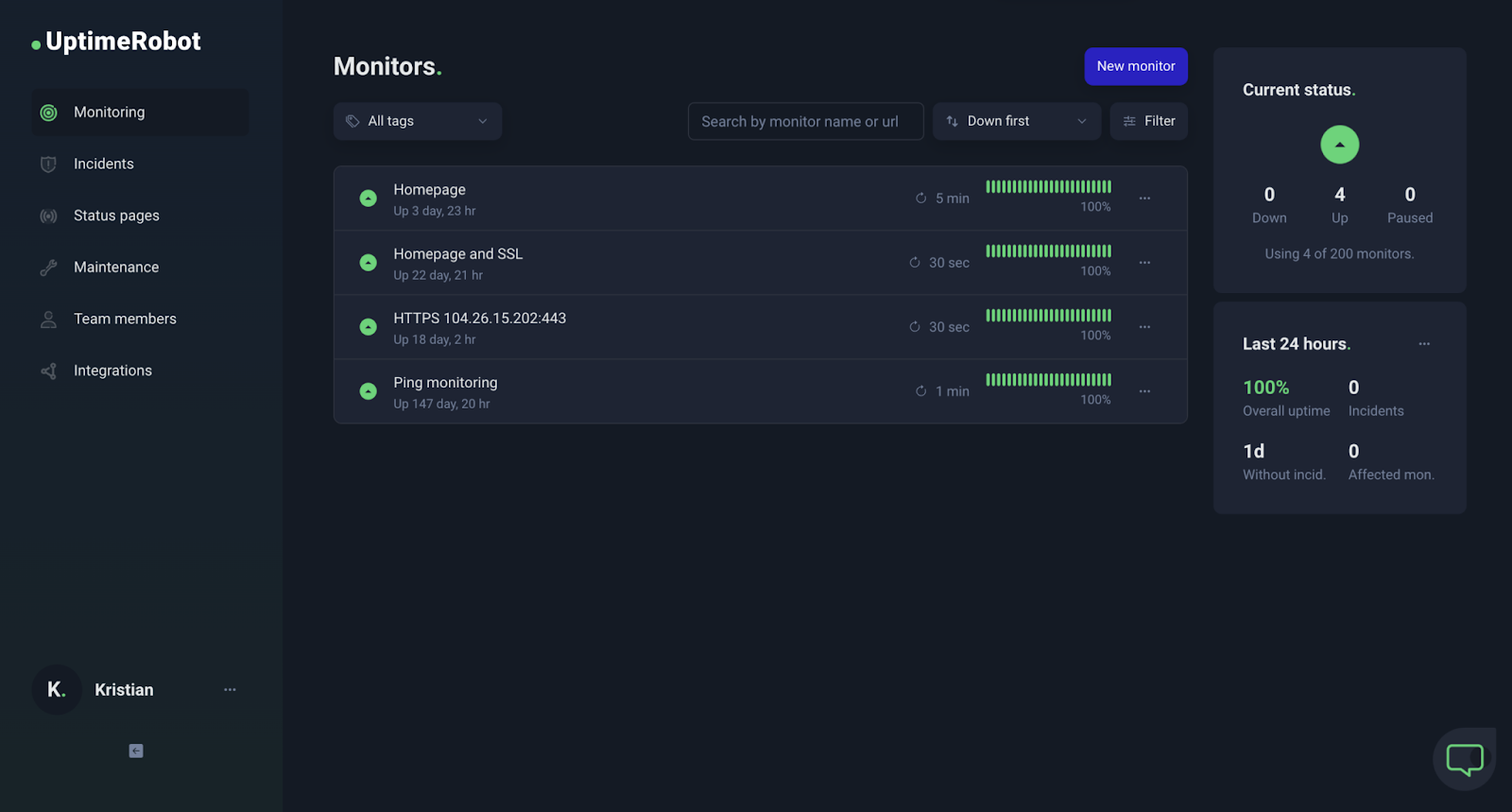
Best for: Small businesses, startups, and development teams that need uptime alerts and public status pages without a dedicated incident management system.
UptimeRobot is an all-in-one uptime monitoring tool that combines website, SSL, ping, port, cron job, and keyword monitoring into a simple, user-friendly platform.
It helps developers and IT teams easily monitor their systems, ensuring websites, servers, and APIs stay up and running. With its straightforward interface, UptimeRobot makes it easy to track performance and quickly respond to any issues.
Key features
- Server Monitoring: You can keep track of your server’s uptime and response time while getting live alerts via up to 17 native integrations.
- Instant Alerts: UptimeRobot sends notifications through email, SMS, webhooks, and popular third-party integrations like Slack and PagerDuty.
- Maintenance Window: You can easily schedule planned maintenance periods to prevent unnecessary alerts.
- Advanced Notification Settings: You can customize alerts according to your preferences, helping to streamline incident management processes and ensure you only receive the most relevant notifications.
- Mobile App: With UptimeRobot, you can monitor and manage uptime on the go using a user-friendly mobile app that delivers instant notifications, ensuring you are always aware of critical updates wherever you are.
- Detailed Reporting: UptimeRobot helps you identify and resolve issues quickly by providing valuable insights into uptime, response times, and the causes of downtime.
- Status Pages: You can create customizable public status pages with UptimeRobot to transparently communicate system status to your users or customers, ensuring they are informed of any issues or downtime.
- Easy Integration: UptimeRobot offers a powerful API for seamless integration with your existing tools and workflows.
Pricing
- Free plan: Offers basic monitoring features for 50 monitors with 5-minute check intervals.
- Pro plans: Start from $7/month, providing 1-minute or 30-second checks, advanced features, and up to 17 native integrations for your favorite programs.
Customer ratings
G2 Score: 4.6/5 (based on 170+ reviews)
Capterra Score: 4.7/5 (based on 38+ reviews)
“I have been using UptimeRobot for many years, across multiple jobs. It’s changed over the years, but it is simple to set up, gives options for monitoring and SSL, and the price is crazy inexpensive. Can’t beat it… especially if you are moving from zero monitoring to needing it quickly.” – G2 review
| Pros | Cons |
|---|---|
| Free plan includes 50 monitors | Free plan checks every 5 minutes |
| Website, API, DNS, ping, and port monitoring | No built-in on-call scheduling or advanced incident orchestration |
| Built-in status pages for communicating outages | Faster checks and advanced integrations require paid plans |
| Multiple alert channels and integrations | No native log management or distributed tracing |
Zendesk
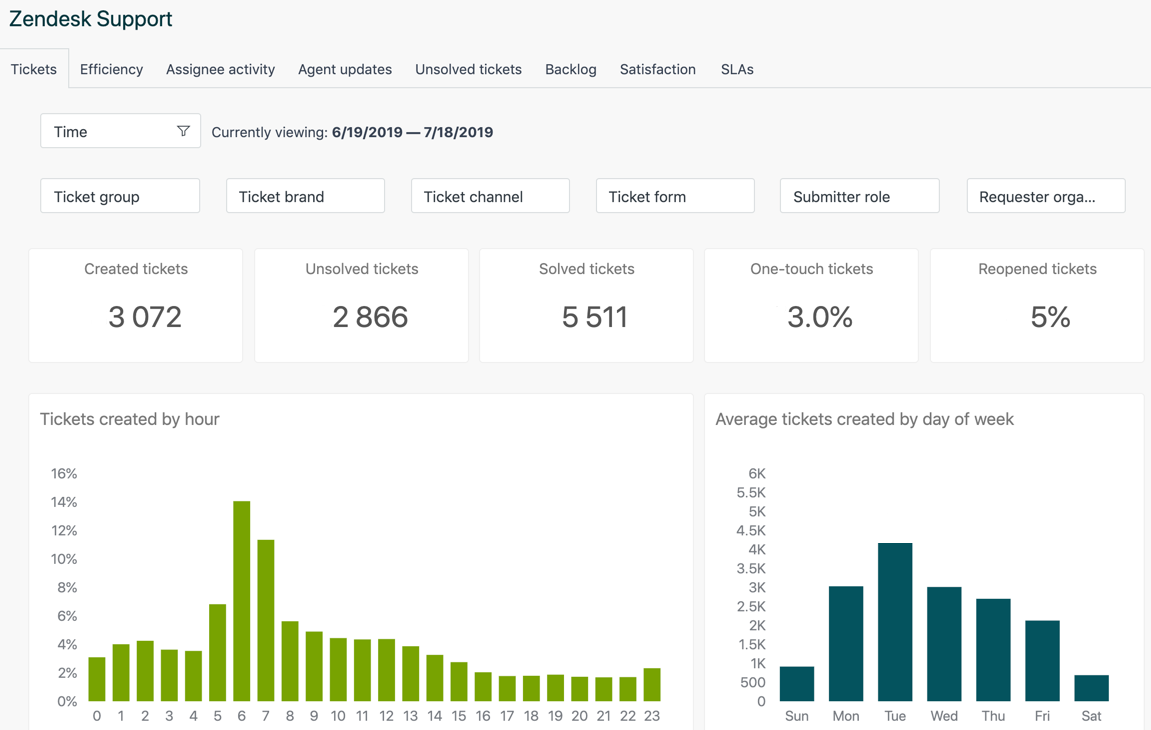
Best for: Customer support teams that manage incidents through tickets and need to coordinate customer communications.
Zendesk’s incident management software helps reduce service disruptions with fast and easy implementation. Its intuitive ticketing system lets agents manage incidents quickly without lengthy training, resulting in a faster time to value.
Key features
- Intuitive ticketing system
- AI-Powered Self-Service
- Fast and easy implementation with out-of-the-box functionality
- Over 1,500 integrations allow for customization and scalability
- Automatic alerts via Microsoft Teams, Slack, live chat, and email
Pricing
Plans start at €19 per agent/month. A 14-day free trial is available.
Customer ratings
G2 Score: 4.3/5 (based on 5,800+ reviews)
Capterra Score: 4.4/5 (based on 3900+ reviews)
“Zendesk offers an easy-to-use and complete feature set for customer support and external documentation. All of which is maintainable by non-technical people.” – Capterra review
| Pros | Cons |
|---|---|
| Centralized ticketing across email, chat, and other support channels | Not designed for infrastructure monitoring or outage detection |
| Automation for ticket routing, prioritization, and escalation | Advanced automation and reporting features depend on the plan |
| Integrations with monitoring and collaboration tools | Pricing scales with the number of support agents |
ServiceNow IT Service Management
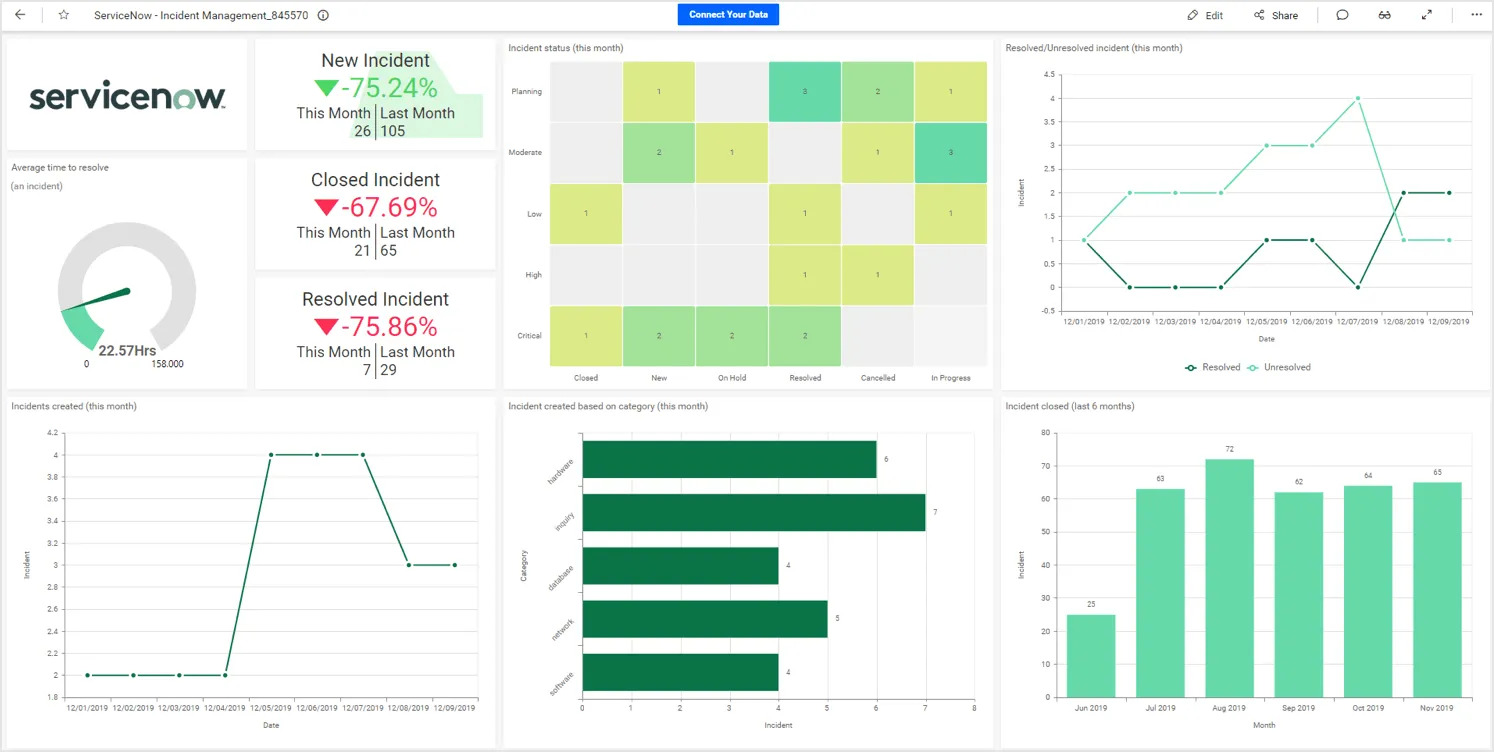
Best for: Large IT departments managing incidents, service requests, changes, and problems across multiple teams.
ServiceNow IT Service Management (ITSM) is a cloud-based solution designed to streamline service management. With built-in AI, machine learning, and virtual agent chatbots, ITSM can reduce the workload for your IT staff and increase productivity by 30%.
Key features
- Predictive analytics
- Multiple language support
- Supports hundreds of integrations
- Automation of routine tasks and notifications
- Customized workflows between employees, customers, and technology
Pricing
Pricing is available on request.
Customer ratings
G2 Score: 4.3/5 (based on 800+ reviews)
Capterra Score: 4.5/5 (based on 30+ reviews)
“What I dig most about ServiceNow IT Service Management is how it streamlines everything. It’s like having a super organized command center for all IT stuff. From tracking issues to managing requests, it’s all in one place, making my job way easier.” – G2 review
| Pros | Cons |
|---|---|
| Incident, problem, change, and request management in one system | No publicly listed subscription prices; requires a custom quote |
| Automated incident routing, prioritization, and escalation | Major incident management and on-call management require ITSM Advanced or a higher package |
| Centralized incident records, reporting, and integrations with other IT systems | Broader ITSM capabilities may be unnecessary for teams that only need outage alerts |
FreshService
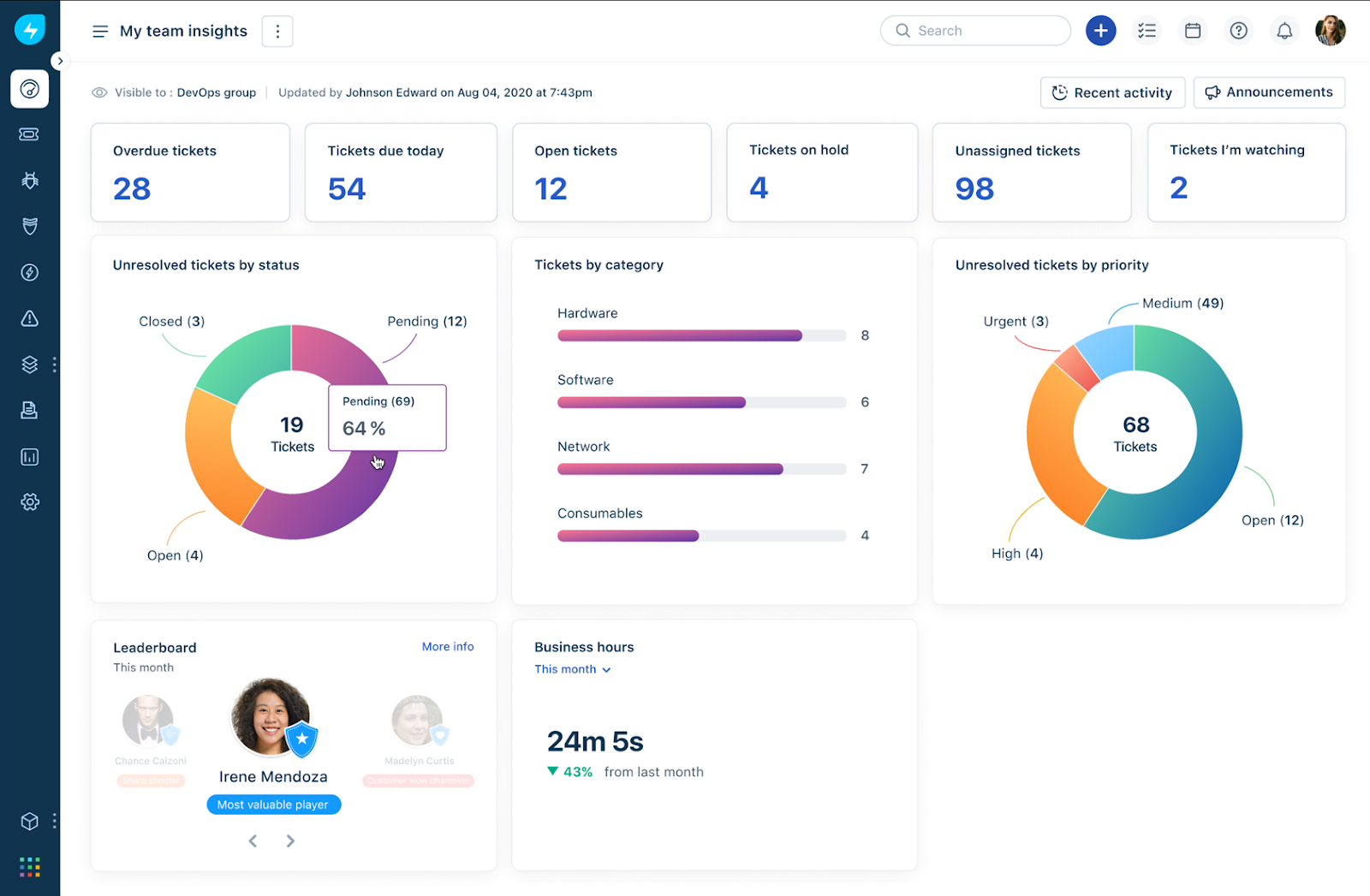
Best for: IT service desk teams that need incident ticketing, automated escalation, and IT service management in one system.
Freshservice, by Freshworks, is an intelligent, cloud-native service management solution designed for modern teams. It offers an out-of-the-box, end-to-end experience that allows employees to work from anywhere, anytime. With AI-driven features, Freshservice enhances efficiency and agility, delivering intelligent and contextual user experiences.
Key features
- Omnichannel support
- Powerful automation
- Change management
- ML-powered suggestions and responses
- Modern UI and intelligent ticketing
Pricing
Freshservice offers four pricing plans ranging from €25 to €130 per user. It includes a 14-day free trial with no credit card required.
Customer ratings
G2 Score: 4.6/5 (based on 1,200+ reviews)
Capterra Score: 4.5/5 (based on 580+ reviews)
“Freshservice has been a lifesaver for our helpdesk and asset management. Freshservice has a wide range of features to use with a whole bunch of automation abilities as well. It easily integrated into our M365 tenant as well.” – G2 review
| Pros | Cons |
|---|---|
| Incident ticketing, knowledge management, and a support portal included in the Starter plan | On-call management and SLA management require Growth ($49/agent/month annually) or higher |
| Can consolidate monitoring alerts, reduce duplicates, and automatically create incidents | Major incident management requires Pro ($99/agent/month annually) or higher |
| Integrates with external monitoring tools through webhooks | Agent-based pricing |
PagerDuty

Best for: DevOps and SRE teams managing on-call rotations, escalations, and incident response across multiple services.
PagerDuty helps you effectively manage and resolve IT incidents and critical operational issues. It empowers your team to prioritize incidents accurately, respond efficiently, and reduce operational overhead. With PagerDuty, you can minimize downtime, improve response times, and maintain high-quality digital operations across various industries, ensuring seamless workflows and better customer experiences.
Key features
- Process automation
- Unlimited notifications
- Alerting and escalations
- Incident response orchestration
- Over 700 integrations are available
Pricing
Plans start at $25 per user/month. A free plan and a 14-day free trial are available.
Customer ratings
G2 Score: 4.5/5 (based on 800+ reviews)
Capterra Score: 4.6/5 (based on 200+ reviews)
“PagerDuty has a a great user interface and a great experience as majorly helps in identifying problems and sorting them out hassle-free. It helps us out in great ways to achieve and accomplish the task with its great automated features.” – G2 review
| Pros | Cons |
|---|---|
| On-call scheduling with automatic escalation when incidents go unacknowledged | Free plan limited to 5 users, one on-call schedule, and one escalation policy |
| 750+ integrations with monitoring and communication tools | AIOps, runbook automation, and certain advanced capabilities cost extra |
| Phone, SMS, email, and push notifications for responders | Advanced incident workflows and administrative features require Business or Enterprise plans |
SpiceWorks Help Desk
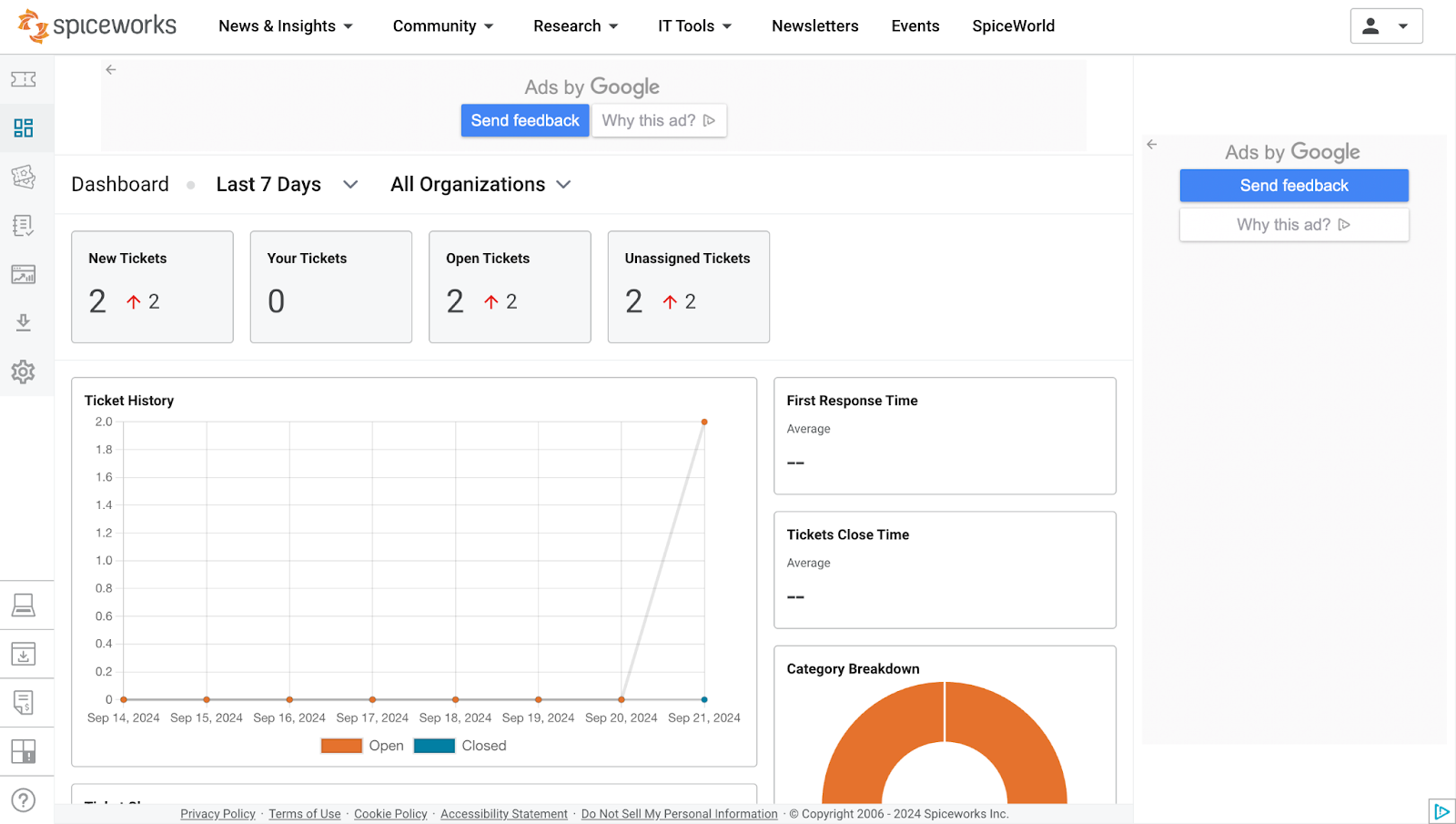
Best for: Small IT support teams that need affordable internal ticketing and incident tracking without advanced incident-response workflows.
SpiceWorks offers free incident management software to help you run a more efficient internal IT help desk. It operates on an ad-based revenue model, allowing users to access the software at no cost. However, you will have to contend with banner ads within the interface. Additionally, there are no paid plans available for upgrading to ad-free services.
Key features
- Workflow automation
- Incident assignment
- Incident reporting and tracking
- Third-party integrations
- Knowledge base
Pricing
Spiceworks is completely free with no limits on admins or tickets.
Customer ratings
G2 Score: 4.3/5 (based on 300+ reviews)
Capterra Score: 4.4/5 (based on 560+ reviews)
“For us IT helpdesk/Specialist, this product works like magic. We can easily monitor and keep track of our ticketing management, we can also check the reports very well and it was so organized.” – Capterra review
| Pros | Cons |
|---|---|
| Free Core plan includes ticketing, incident tracking, and reporting | Free plan is ad-supported and limited to five technician/admin seats |
| Email-to-ticket functionality and a knowledge base for common support issues | Ad-free interface, bulk actions, and custom ticket statuses require Premium |
| Supports ticket assignment, prioritization, and tracking | Limited integrations and advanced automation compared with larger ITSM systems |
NinjaOne Ticketing Software
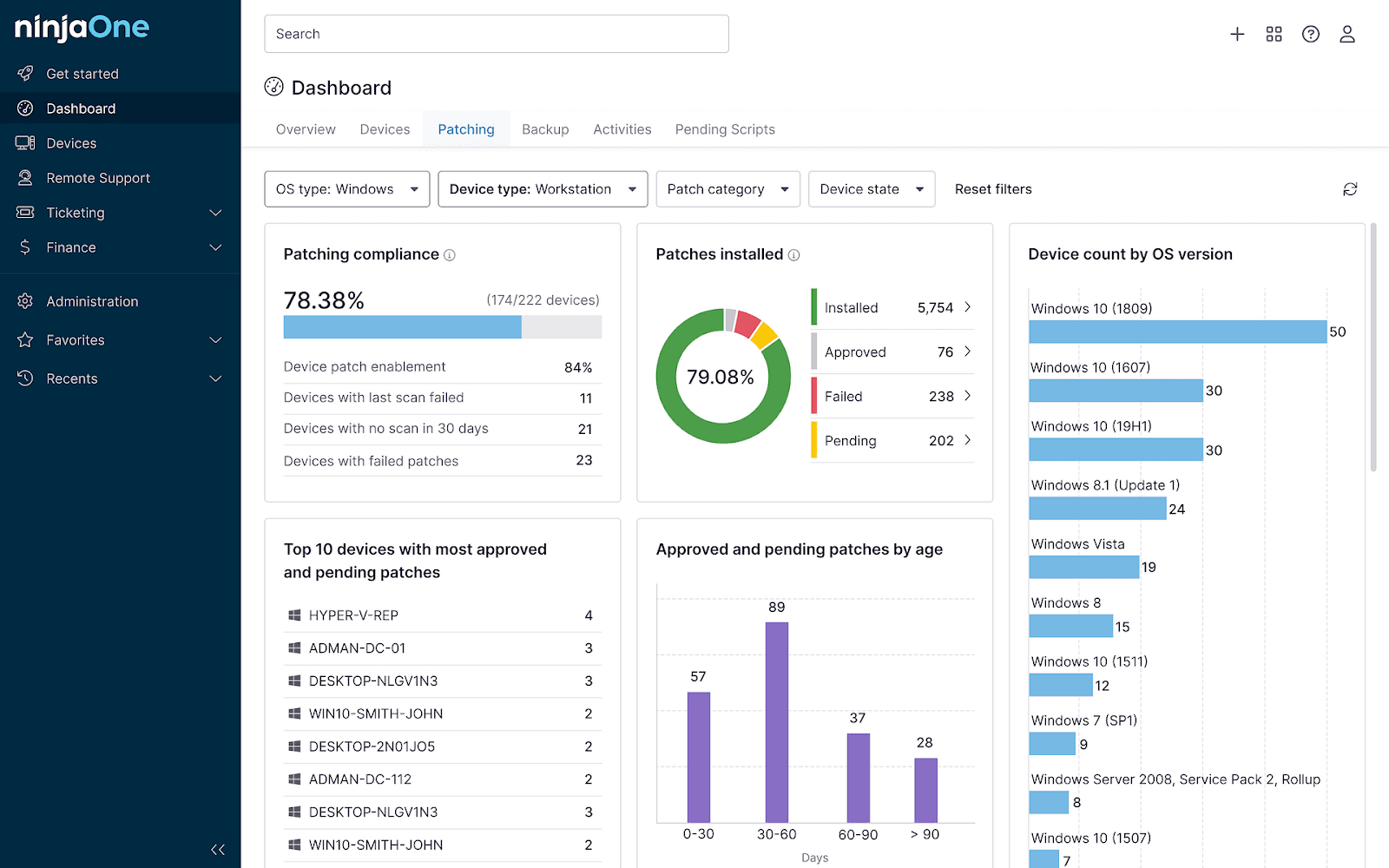
Best for: Managed service providers (MSPs) and internal IT teams that want ticketing, endpoint management, and remote troubleshooting in one system.
NinjaOne is an automated IT management platform that empowers over 17,000 IT teams with visibility, security, and control over their endpoints. It simplifies operations by integrating ticketing, endpoint management, and backup, allowing teams to efficiently manage their IT portfolio and support users from anywhere.
Key features
- Remote monitoring
- Patch management
- Multi-monitor support
- ITIL policy compliance
- Workflow management
Pricing
NinjaOne operates on a pay-as-you-go model, with no long-term contracts or commitments. You simply pay month-to-month based on the number of devices you monitor.
Customer ratings
G2 Score: 4.8/5 (based on 1,400+ reviews)
Capterra Score: 4.8/5 (based on 220+ reviews)
“NinjaOne is a user-friendly and reliable RMM solution that simplifies IT management. Its intuitive interface makes monitoring and managing devices easy, while automation features save time on routine tasks.” – G2 review
| Pros | Cons |
|---|---|
| Tickets include device information, asset history, and access to remote troubleshooting tools | No publicly listed fixed price for Ticketing; requires a custom quote |
| Automatically creates tickets from endpoint alerts and routes them using configurable rules | Most useful alongside NinjaOne’s endpoint management capabilities |
| Supports SLA tracking, escalation, and an end-user self-service portal | Less suited to coordinating application outages and on-call engineering teams than dedicated incident-response tools |
BigPanda

Best for: Enterprise IT operations teams handling large volumes of alerts from multiple monitoring systems.
BigPanda helps you prevent and resolve IT outages through event correlation and automation powered by AIOps. It automatically collects alerts from third-party tools. These alerts are transformed into context-rich incidents, which help prevent outages and simplify incident management.
Key features
- Alerting & reporting
- Constant monitoring
- Root cause identification
- AI-driven incident correlation
- Automated incident prioritization
Pricing
Pricing is available on request.
Customer ratings
G2 Score: 4.5/5 (based on 110+ reviews)
Capterra Score: 4.5/5 (based on 2 reviews)
“We love that BigPanda can easily integrate with our external software to consolidate data and incident notifications. Customer support is very responsive to our inquiries and support tickets.” – G2 review
| Pros | Cons |
|---|---|
| Correlates related alerts across monitoring tools to reduce duplicate incidents | Requires existing monitoring and observability tools to supply event data |
| Enriches incidents with topology, change, and operational context | No publicly listed starting price |
| Integrates with ITSM systems to support incident triage and response | Less relevant to small teams with only a few monitoring sources |
NewRelic
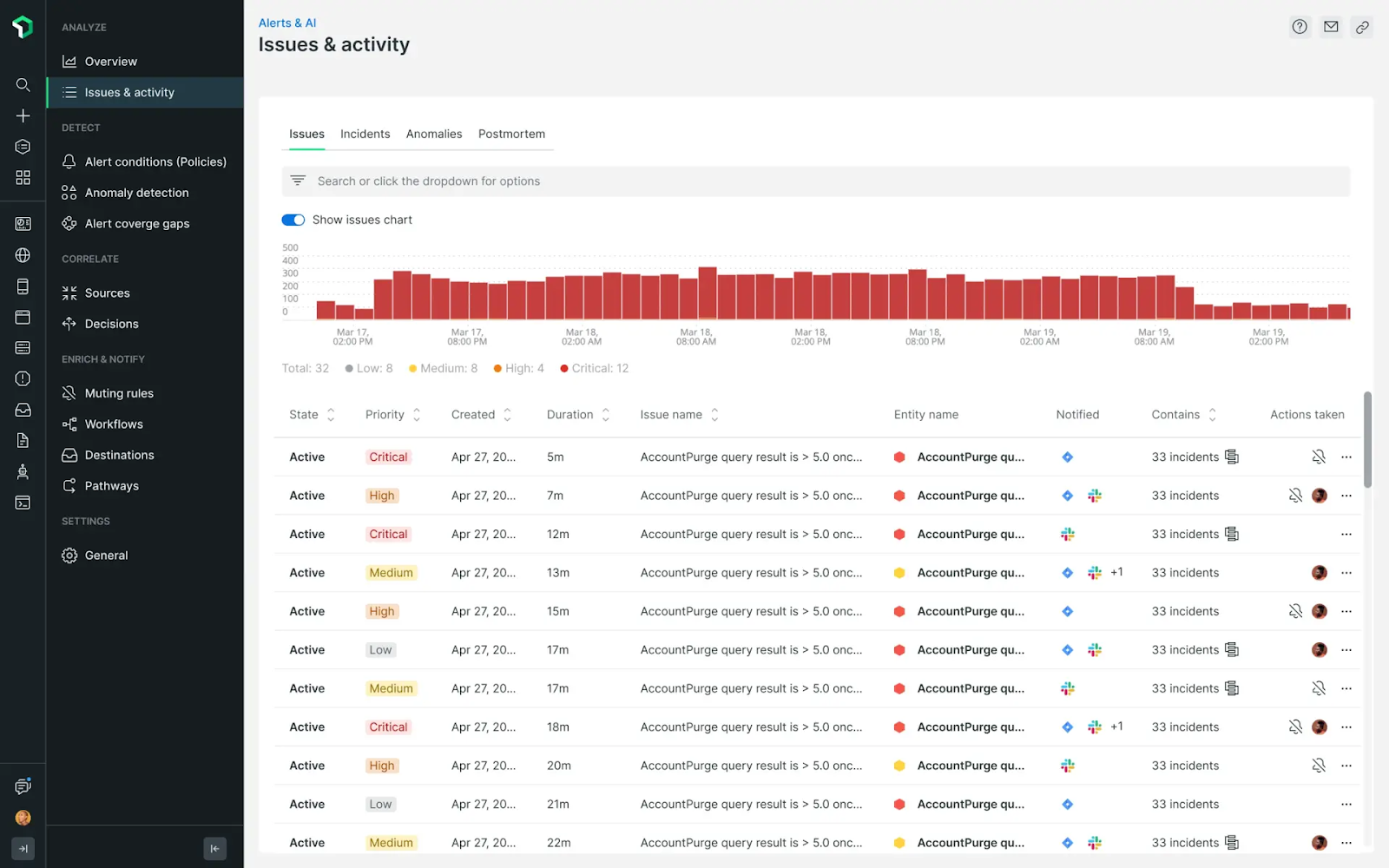
Best for: DevOps and engineering teams that want incident detection and troubleshooting alongside application and infrastructure monitoring.
New Relic provides server monitoring solutions that enhance your server infrastructure with real-time monitoring and full-stack analysis. Designed for large operations, it aggregates telemetry data and offers proactive incident response tools, including a live feed for ticket statuses and event logs.
Key features
- Intuitive dashboard
- Real, actionable insights
- 750+ integrations available
- Secure, hyper-scalable data platform
- Dashboards, alerts, and integrations all in one place
Pricing
Plans start at $49 per core user per month for up to five users. A free plan is also available with 100 GB data ingest and 1 full platform user.
Customer ratings
G2 Score: 4.3/5 (based on 450+ reviews)
Capterra Score: 4.5/5 (based on 170+ reviews)
“New Relic has saved countless hours in debugging and diagnosing issues with our applications and stack. The insights provided are unparalleled and have enabled us to drastically improve customer experience while reducing needed developer hours.” – G2 Review
| Pros | Cons |
|---|---|
| Correlates related alert events into issues to reduce notification noise | Primarily an observability tool, not a dedicated incident coordination system |
| Connects infrastructure metrics, application traces, and logs for troubleshooting | Free tier includes only one full-platform user |
| Free tier includes 100 GB of monthly data ingest | Costs increase with additional data ingest, paid users, and optional advanced capabilities |
Pro tip: Read more about the best New Relic alternatives in 2026
incident.io
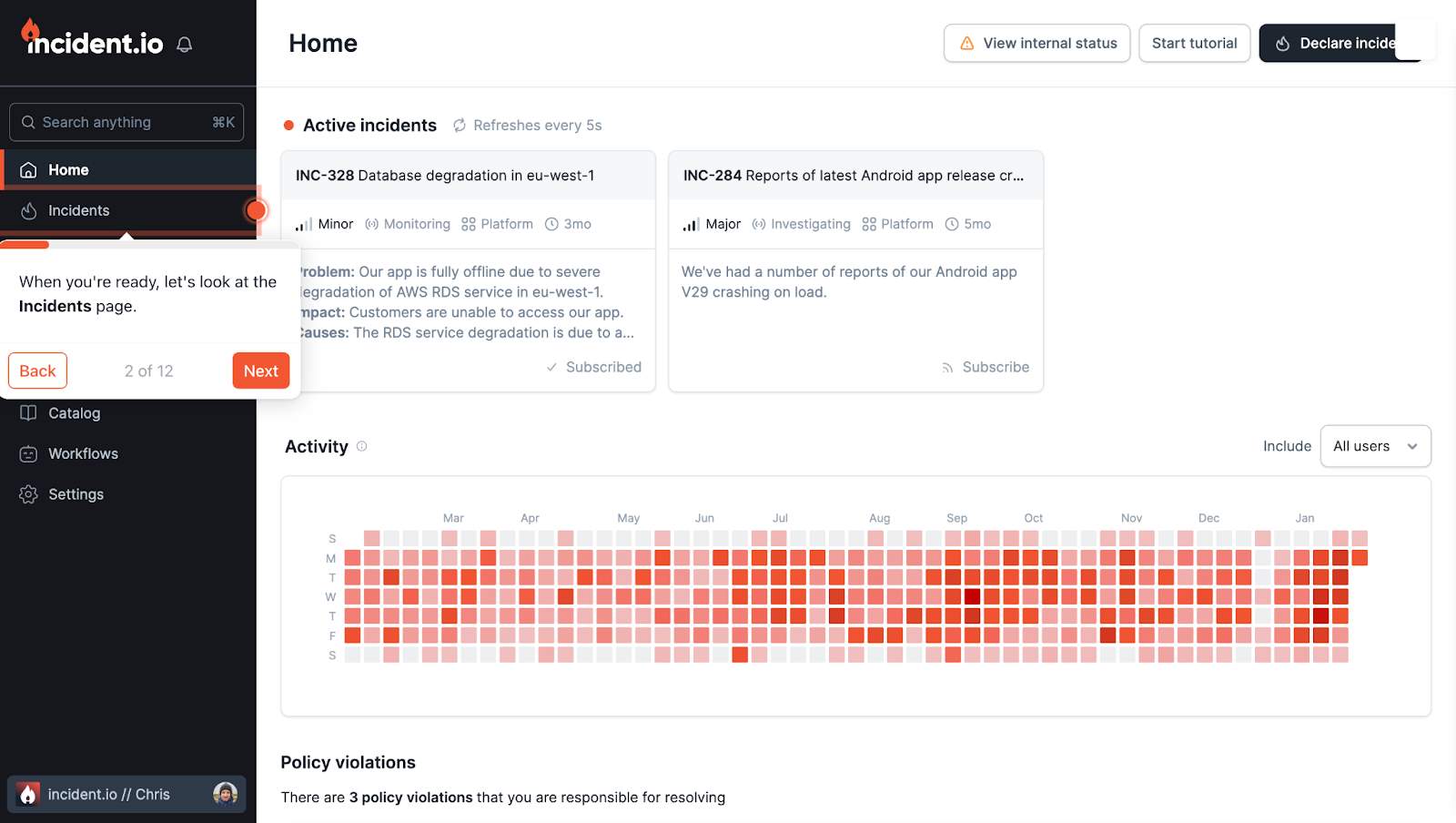
Best for: Engineering teams coordinating incidents through Slack or Microsoft Teams, particularly those that want incident timelines and post-incident reviews in the same workflow.
incident.io is a Slack-powered incident management platform designed for tech-led businesses. It helps manage incidents from declaration to post-mortem. The platform offers automatic incident detection, customizable workflows, and detailed reporting, all within a centralized interface.
Key features
- Constant monitoring
- Lifecycle visualization
- Automated workflows
- Detailed incident timelines and analytics
- Real-time incident management and communication
Pricing
There are four plans available, including a free trial for individuals and early-stage teams. Paid plans start at $19 per user per month.
Customer ratings
G2 Score: 4.8/5 (based on 150+ reviews)
Capterra Score: NA
“Its intuitive UI is easy to integrate and helps the developers in their everyday work while providing enough transparency to management. The team is terrific and believes in their product, and it actively helps us take our first steps toward a better world.” – G2 Review
| Pros | Cons |
|---|---|
| Coordinates incident response directly in Slack or Microsoft Teams | Requires Slack or Microsoft Teams for its chat-based incident workflows |
| Free Basic plan includes a status page, single-team on-call, and essential automation | Multi-team on-call and more advanced workflows require paid plans |
| Supports incident timelines, postmortems, and automated workflows | On-call functionality adds $10/user/month to the Team plan with annual billing |
xMatters
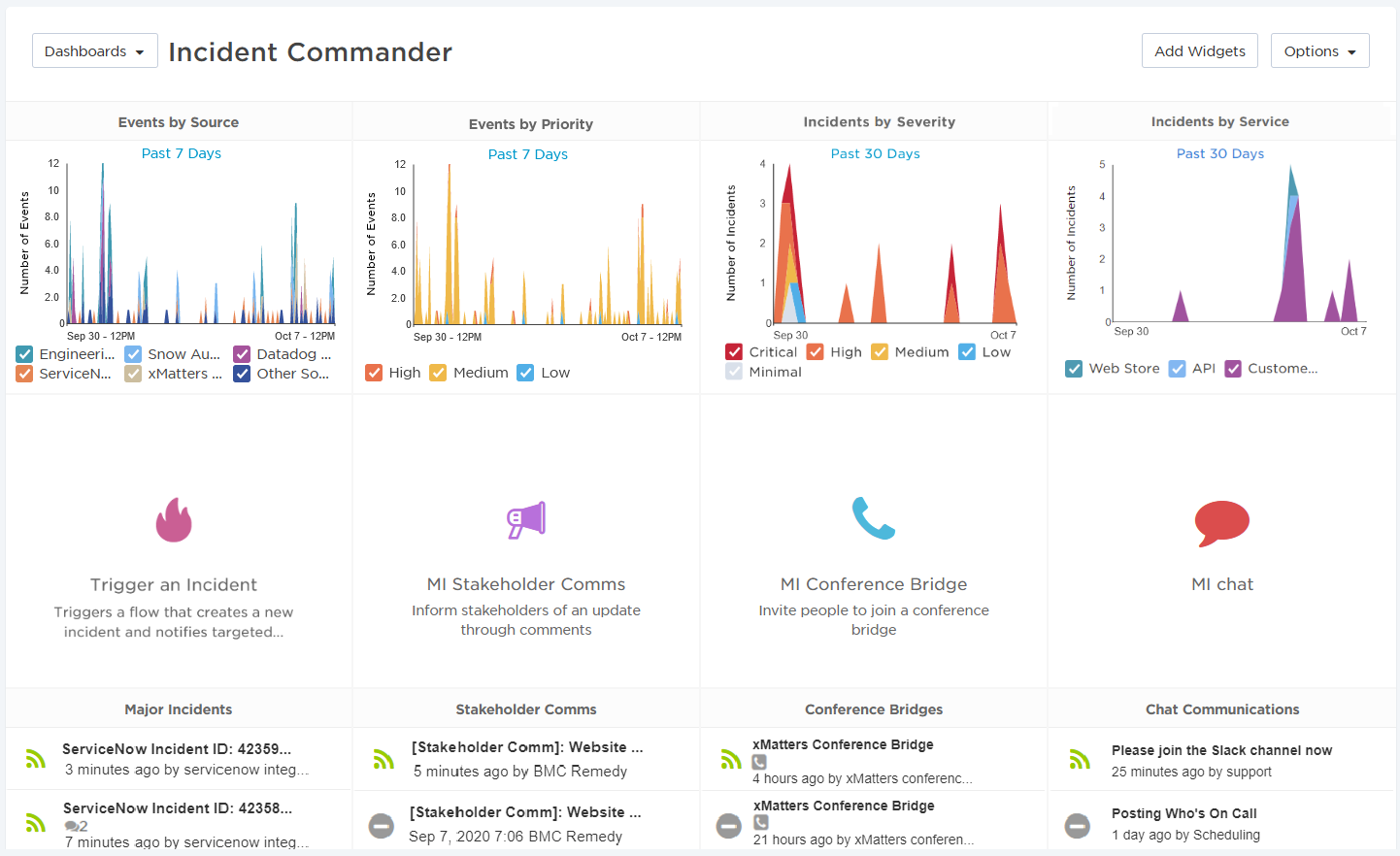
Best for: DevOps and IT operations teams that need automated on-call escalation and incident coordination across multiple systems.
xMatters enhances incident resolution through workflow automation, collaboration tools, and analytics. It leverages AI and automation to reduce the impact of digital events, improve response times, and minimize service disruptions.
Key features
- Signal intelligence
- Actionable analytics
- Workflow automation
- On-call management
- Adaptive incident management
Pricing
- Free: Upto 10 users
- Starter: $9 per user per month (up to 100 users)
- Base: $39 per user per month
- Advanced: Available on request
Customer ratings
G2 Score: 4.5/5 (based on 590+ reviews)
Capterra Score: 4.5/5 (based on 130+ reviews)
“xMatters is a game-changing for our IT response team. Fast detection using the 24/7 scanner to detect incident/issue with our IT system and it will tag the issues by it severity tiers before notifying appropiate IT team to fix it.” – G2 review
| Pros | Cons |
|---|---|
| On-call scheduling, targeted notifications, and automated escalation workflows | Free plan is limited to 5 users |
| More than 200 prebuilt integrations, plus a workflow builder for custom integrations | Starter plan costs $15/user/month and supports up to 25 users |
| Incident timelines, collaboration channels, and post-incident reporting | More extensive cross-team capabilities require higher-priced plans |
ClickUp
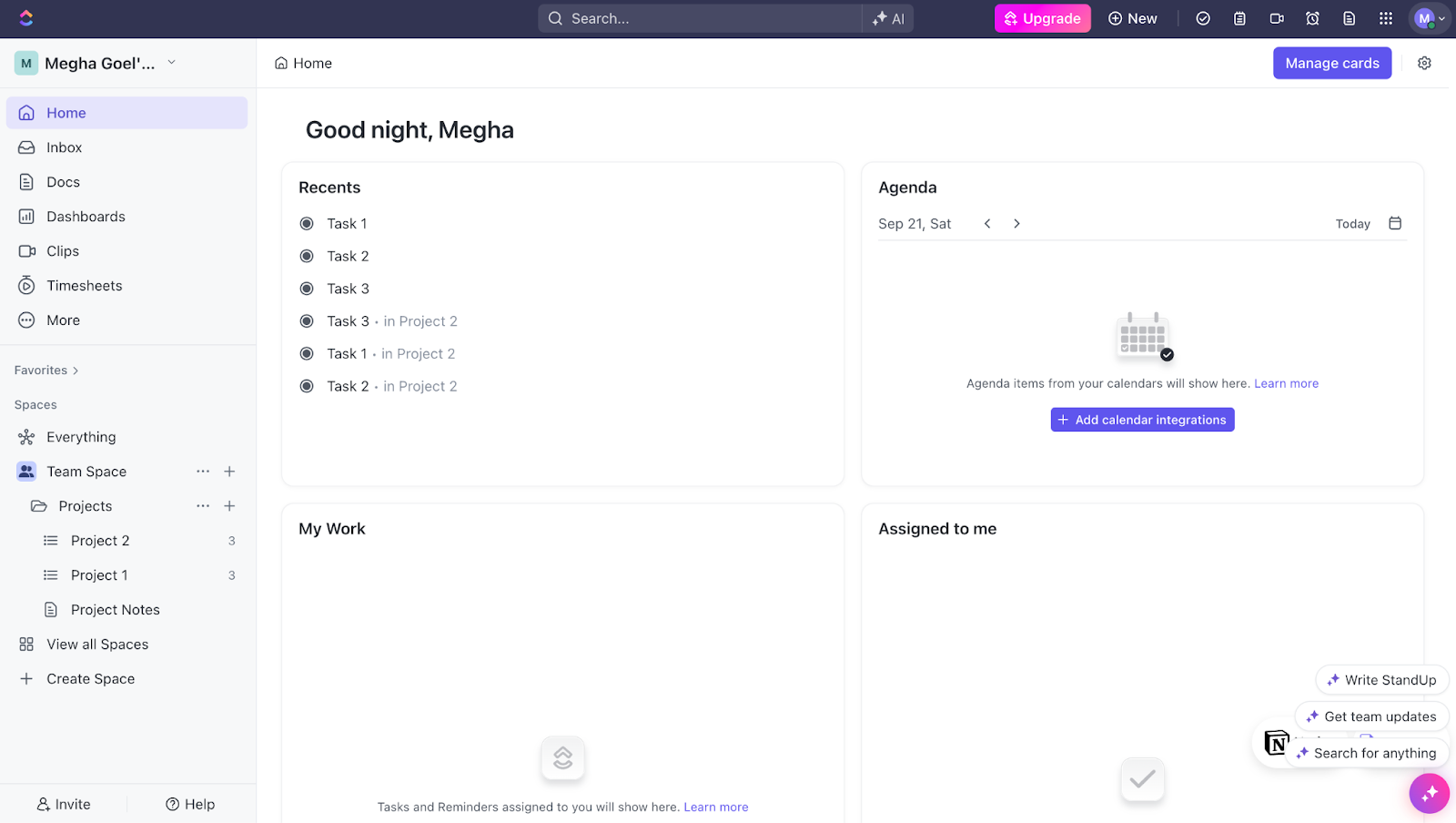
Best for: Teams managing operational incidents as tasks alongside everyday project work, rather than coordinating urgent infrastructure outages.
ClickUp is primarily a project management tool, but teams can also use it for incident management. Its flexible features allow you to create tasks for each step of the incident response process, set priorities, and assign due dates.
Key features
- Case management
- Instant messaging
- Customized dashboards
- Incident report templates
- Integrates with over 1000 tools
Pricing
Plans for ClickUp start at $10 per user per month. A free plan is also available.
Customer ratings
G2 Score: 4.7/5 (based on 9,820+ reviews)
Capterra Score: 4.6/5 (based on 4,230+ reviews)
“ClickUp allows our company to keep track of important tasks, milestones, and improves the efficiency of our workflow on a daily basis. I love how you can customize the workspaces and the automation feature is amazing!” – G2 review
| Pros | Cons |
|---|---|
| Custom task statuses, assignees, and workflows for tracking incidents through resolution | No native infrastructure monitoring or automated outage detection |
| Free Forever plan includes unlimited tasks and members | Free plan includes only 60 MB of storage |
| Dashboards, automations, and integrations for coordinating follow-up work | Advanced automations and reporting require the Business plan |
Jira Service Management
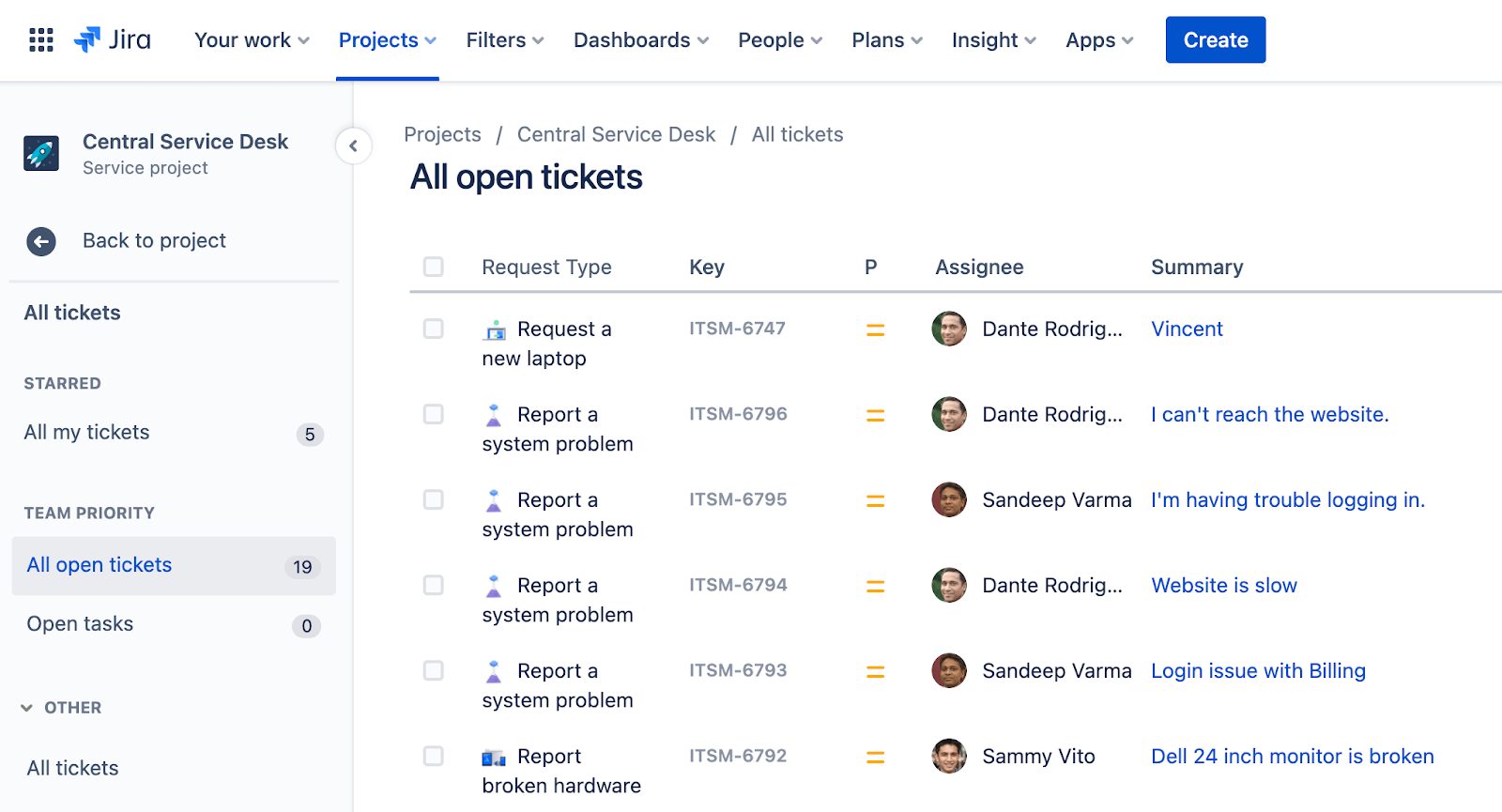
Best for: IT service management and engineering teams already using Jira that need incident tracking, service requests, and structured response workflows.
Jira Service Management is part of the Atlassian product family. It helps organize and prioritize service requests, incidents, problems, and changes in one place, ensuring teams stay aligned with SLAs. With extensive customization options and agile workflows, it’s ideal for teams using agile methodologies in incident resolution.
Key features
- Ticket management
- Reporting and analytics
- Customizable workflows
- Advanced alert integrations
- Integration with development and IT operations tools
Pricing
Plans start at $7.16 per user per month. A free plan and a seven-day free trial are also available.
Customer ratings
G2 Score: 4.2/5 (based on 760+ reviews)
Capterra Score: 4.5/5 (based on 670+ reviews)
“The best thing I like about Jira is its ticket management system. The tickets are so well organised. In proper different stages, to-do, in progress, in review and the different stages created by client/business owner.” – G2 Review
| Pros | Cons |
|---|---|
| Incident, request, problem, and change management within the Atlassian ecosystem | Free plan supports only 3 agents |
| Connects service management workflows with Jira issues and development work | Major incident management and post-incident reviews require Premium or Enterprise |
| Customizable workflows, automation, and integrations | Free plan has limited storage, support, and administrative controls |
FireHydrant
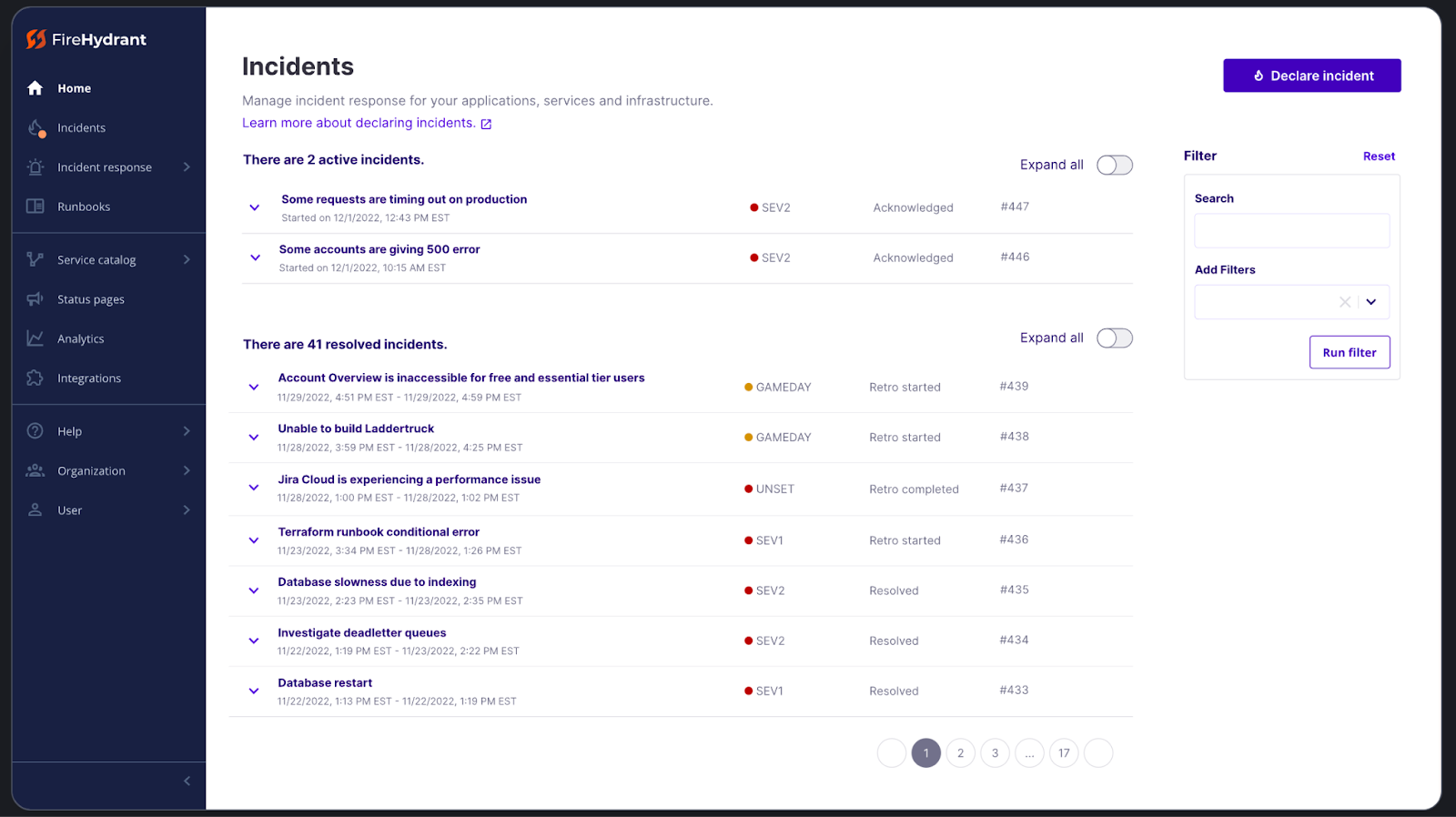
Best for: Engineering and SRE teams that need structured incident response, on-call scheduling, and automated communication during outages.
FireHydrant is an all-in-one incident management platform designed to help teams manage incidents from detection to post-mortem. It automates incident response workflows, provides real-time status updates, and covers on-call management, status pages, and retrospectives.
Key features
- On-call scheduling
- Readiness checklist
- Team-based alerting
- Actionable learnings and analytics
- Automated, unified incident response
Pricing
FireHydrant offers two plans: Pro and Enterprise. The Pro plan is priced at $9,600 per year.
Customer ratings
G2 Score: 4.4/5 (based on 50+ reviews)
Capterra Score: 4.8/5 (based on 4 reviews)
“FireHydrant has filled nearly every cap that we experienced in the past with incident management. From day one transitioning to FireHydrant, they have proved to be a great investment and improvement over our previous product.” – G2 review
| Pros | Cons |
|---|---|
| Automated runbooks for incident coordination, task assignment, and status updates | Free plan limited to 10 responders, 2 runbooks, and 3 integrations |
| Incident management through Slack or Microsoft Teams, with built-in public status pages | Advanced incident analytics, private incidents, and unlimited runbooks require Enterprise |
| Pro plan includes on-call scheduling, escalation policies, and a service catalog | SMS and voice notifications are charged separately |
Open-source incident management tools
If you are interested in exploring open-source incident management applications, here are some worth considering:
OnCall
Grafana OnCall is an open-source on-call management system built specifically for developers. It features simplified workflows and interfaces tailored to the needs of engineers. Grafana OnCall helps teams manage their on-call schedules through calendar integration, ensuring they receive only relevant notifications. This allows for better work-life balance for the users.
Key benefits
- Notifications via Slack, Telegram, voice, and SMS
- Automatic ticket escalation
- Automatically groups alerts
- Centralized view of all your alerts
Dispatch
Dispatch by Netflix is a crisis management orchestration framework that manages incident metadata and resources. It uses tools already in use throughout the organization. It provides a comprehensive crisis management toolset, enabling incident participants to focus on resolution.
Key benefits
- Leverages existing APIs for seamless integration
- Manages the entire incident lifecycle
AlertManager
The Alertmanager, developed by the Prometheus project, helps teams manage the alerting data produced by Prometheus. It deduplicates, groups, and routes alerts to the correct receiver integrations, like email, PagerDuty, and OpsGenie, using a webhook receiver.
Key benefits
- Alert silencing and inhibition
- Simplified architecture
- Multi-channel notifications
GoAlert
GoAlert is an open-source incident management and on-call scheduling tool developed by Target. It features flexible on-call scheduling, automated escalations, and multi-channel notifications (SMS, voice, and push) to ensure the right person is engaged automatically at the right time in the right way.
Key benefits
- Easy-to-use schedule management
- Customizable escalation policies
- Seamless integration with various monitoring and ticketing systems
What you should look for in an incident management software
The right incident management software depends on how your team detects, responds to, and resolves incidents. When comparing tools, consider these factors:
Support and reliability: Available support channels, service commitments, and the vendor’s incident history.
Incident detection and alerting: Monitoring integrations, notification channels, and options for routing alerts to the right people.
Incident tracking: A central place to record incidents, assign responsibilities, and track progress through resolution.
Automation and integrations: Connections with your existing monitoring, ticketing, and communication tools, plus automated workflows that reduce manual work.
Ease of use: Clear interfaces, straightforward setup, and documentation that makes onboarding easier.
Collaboration: Features for coordinating responders, escalating issues, and keeping stakeholders informed.
Pricing: Costs per user, agent, or feature, including charges for additional responders, integrations, or usage.
Conclusion
Incident management tools only work when they match how your team actually responds.
The best platforms do three things consistently: they get the right person engaged fast, they keep context in one place, and they make handoffs and follow-ups reliable. When tools are configured poorly, they create the opposite, noisy alerts, unclear ownership, scattered updates, and slow decisions.
Before you optimize features, lock in fundamentals. Define severity, ownership, escalation paths, and where the source of truth lives. Then choose tooling that supports that flow with minimal friction, especially under pressure. The goal is not a perfect dashboard, it is faster acknowledgment, smoother coordination, and fewer missed signals.
If your incident tooling makes outages feel calmer, clearer, and more predictable, you picked and configured it well.
FAQ's
-
An incident management tool helps teams detect, respond to, and resolve production incidents. It centralizes alerts, escalations, and communication so issues don’t get missed. The goal is faster recovery with less confusion.
-
They’re primarily used by DevOps, SRE, and on-call engineering teams. Any team responsible for uptime, reliability, or customer-facing systems benefits from having a structured incident response process. They’re especially useful once systems grow beyond a single engineer.
-
Monitoring detects issues, while incident management handles what happens next. When a monitor triggers an alert, the incident tool routes it to the right person, manages escalations, and tracks resolution. Without this layer, alerts can be ignored or delayed.
-
They reduce alert noise, missed notifications, and unclear ownership during outages. They also provide timelines and post-incident data for reviews. This makes incidents more predictable and less stressful to handle.
-
No. Smaller teams use them to avoid single points of failure and burnout. Even a lightweight setup helps ensure alerts reach someone reliably, especially outside business hours.