Website uptime isn’t the only thing that can take a service offline. DNS problems can stop users reaching your website, break email delivery, or redirect traffic even while your web server is running normally.
That’s why many teams monitor DNS alongside uptime. Watching for unexpected record changes, resolution failures, and configuration issues helps catch problems that a standard HTTP check can’t see.
We compared a few of the best DNS monitoring tools on the market today, including hosted platforms, enterprise monitoring suites, and self-hosted options, to help you choose the right fit.
Key takeaways
- UptimeRobot is a good choice if you want DNS monitoring alongside uptime monitoring without adding another platform.
- Basic DNS monitoring is enough for most websites and applications.
- Enterprise platforms add deeper diagnostics, DNSSEC validation, and network analysis at a higher cost.
- Internal DNS environments often require tools such as PRTG or ManageEngine.
- Start with a free plan, then upgrade if you need faster checks or more advanced features.
How the top DNS monitoring tools compare
Here are the quick facts before we get into the finer details.
| Tool | Best for | DNSSEC depth | Monitoring footprint | Entry price |
| UptimeRobot | Fast alerts the moment a DNS record changes | Tracks DNSSEC-related records (DS, DNSKEY, NSEC, NSEC3), not full chain validation | Multi-location checks on paid plans | Free plan; $9/month (Solo plan, annual billing) |
| Site24x7 | Full-stack observability with DNS built in | True DNSSEC validation plus automated root cause analysis | 130+ global locations | Around $9/month, billed annually |
| Dotcom-Monitor | Authoritative-path tracing at a mid-market price | Full chain validation (DS to DNSKEY to RRSIG) | 30+ global locations | Free tier; paid from $19.99/month |
| Catchpoint | Enterprise internet performance monitoring | Full chain validation | 1,000+ global nodes | $11,988/year (Expert Plan) |
| ThousandEyes | Correlating DNS failures with network routing problems | Dedicated DNSSEC test coverage | Enterprise-scale vantage points | Custom enterprise pricing |
| Pingdom | Simple uptime checks with basic DNS resolution | No DNSSEC validation | 100+ locations | From $15/month |
| Paessler PRTG | Internal network and private DNS zone visibility | Confirms DNSKEY presence, not full chain validation | Self-deployed probes on your network | Around $1,750 (perpetual license, ~50 devices) |
| StatusCake | Bundled DNS, domain expiry, and blacklist monitoring | No DNSSEC validation | 30 countries | Free tier; paid from ~$20.41/month |
| Instatus | Lightweight synthetic monitoring with status pages | No DNSSEC validation | Limited check locations | Free tier; Pro from $20/month |
| ManageEngine | On-premise DNS, DHCP, and IPAM management | DNSSEC signing and validation for internally managed zones | Internal/WAN deployment | Around $3,199/year (DDI Central Professional) |
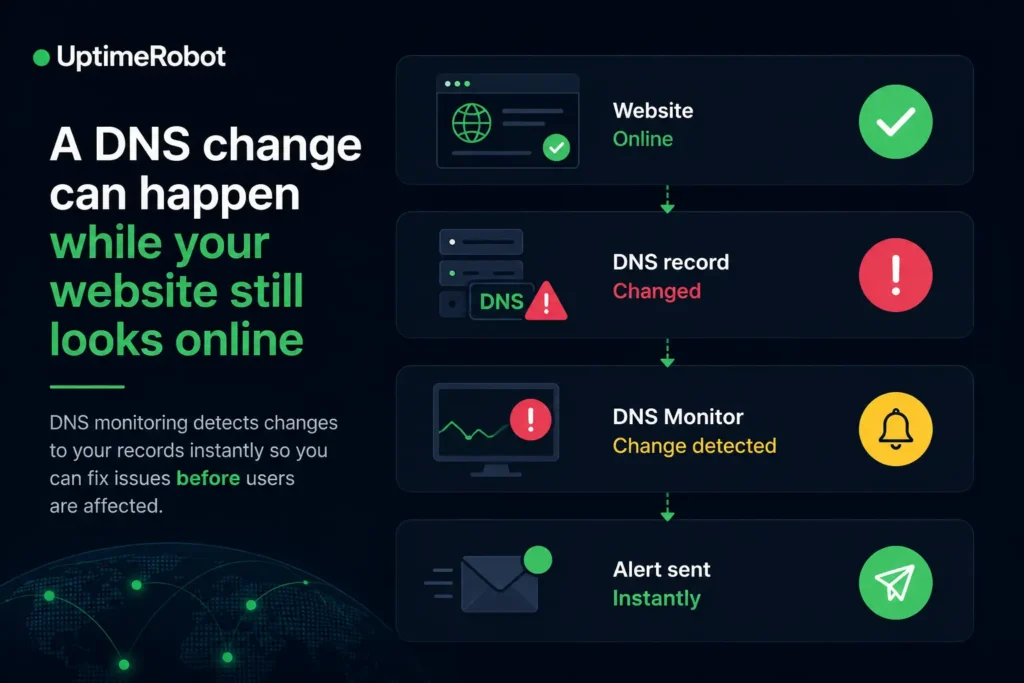
What DNS monitoring catches that uptime checks miss
A standard uptime check hits your web server over HTTP and trusts whatever DNS answer its local resolver already cached. A dedicated DNS monitor works differently. It queries authoritative nameservers directly or traces the full resolution path, which is what lets it catch problems a 200 OK response would never reveal.
Outages and resolution failures
NXDOMAIN, SERVFAIL, and REFUSED responses are the clearest signals that something upstream of your application has broken. The trigger might be an expired domain registration, a broken delegation, a downed authoritative nameserver, or a misconfigured zone:
- NXDOMAIN: The domain or record doesn’t exist as far as the resolver can tell
- SERVFAIL: The authoritative server failed to produce a valid answer
- REFUSED: The server declined to answer the query at all
Dedicated monitors watch these response codes and authoritative reachability directly, rather than relying on whatever answer got cached last. A thread in r/UptimeKuma captures why this matters: an uptime monitor generally shouldn’t cache DNS lookups, because you want it to catch a misconfiguration before your users do.
Slow lookups and propagation inconsistency
A domain that technically resolves can still cost you real time. Latency spikes tied to a specific region or resolver add delay before a page load or app connection even starts, and that compounds at scale.
Propagation adds a second wrinkle. After a record change, different resolvers around the world pick it up at different speeds, and a single local check can’t see that. Tools that query from multiple independent locations are what surface a partial, regional propagation problem.
Running a one-off DNS propagation checker online gives you a snapshot of a single moment, while continuous multi-location monitoring tracks the full spread over time, which is what you actually need during a migration.
Unexpected record changes and DNS hijacking
An accidental edit, a broken automation script, or compromised registrar credentials can redirect traffic or weaken email security by altering A, CNAME, MX, or TXT records. That’s how DNS hijacking happens in practice. Your application may still be running normally while users are sent to the wrong destination.
DDoS attacks against authoritative DNS infrastructure create a different problem. They can slow or interrupt DNS resolution before a standard uptime check detects a complete outage.
DNSSEC failures and encrypted DNS
DNSSEC adds cryptographic signatures to DNS records so resolvers can verify the answer is authentic. When that chain of trust breaks, an expired RRSIG, a mismatched DS record at the parent, or a bad key rollover can block resolution on security-conscious resolvers even though the underlying record is fine.
A DNSSEC validation checker traces the chain from DS to DNSKEY to RRSIG, rather than just confirming a record exists.
DNS over HTTPS and DNS over TLS add another layer. Both encrypt queries for privacy, which complicates passive network diagnostics. Modern monitors need purpose-built synthetic checks that can still verify performance and security over those encrypted paths.
10 DNS monitoring tools worth evaluating
The tools below cover a wide range of use cases, from basic DNS record monitoring to enterprise-grade diagnostics. Compare their strengths, limitations, pricing, and best fit to find the right option for your environment.
1. UptimeRobot
Best for: Teams that want DNS monitoring alongside uptime monitoring without adding another platform.
For many organizations, DNS is just one part of service availability. UptimeRobot features DNS monitoring with website, SSL certificate, domain expiration, API, keyword monitoring, and more, so teams can manage alerts from a single dashboard instead of deploying another specialized tool.
It continuously monitors A, AAAA, CNAME, MX, NS, TXT, SOA, PTR, SRV, DS, DNSKEY, NSEC, NSEC3, and SPF records, alerting you whenever a monitored record is added, removed, or modified. That makes it well suited to detecting accidental configuration changes, DNS hijacking, or broken email records before they affect customers.
UptimeRobot focuses on fast DNS change detection rather than deep DNS diagnostics. Organizations that need full DNSSEC chain validation or authoritative-path analysis may need a more specialized platform, but for most teams looking to monitor production domains, it offers an excellent balance between simplicity, coverage, and cost.
| Pros | Cons |
| Broad record-type coverage (14 types including DNSSEC-related) | No full DNSSEC chain validation |
| Instant change alerts across A, MX, TXT, and more | DNS monitoring starts on paid Solo plan, not free |
| Same dashboard as uptime, SSL, and domain expiry | Not designed for authoritative-path tracing |
| No per-seat pricing as team grows | Fast-rotating CDN records need manual tuning to reduce noise |
2. Site24x7
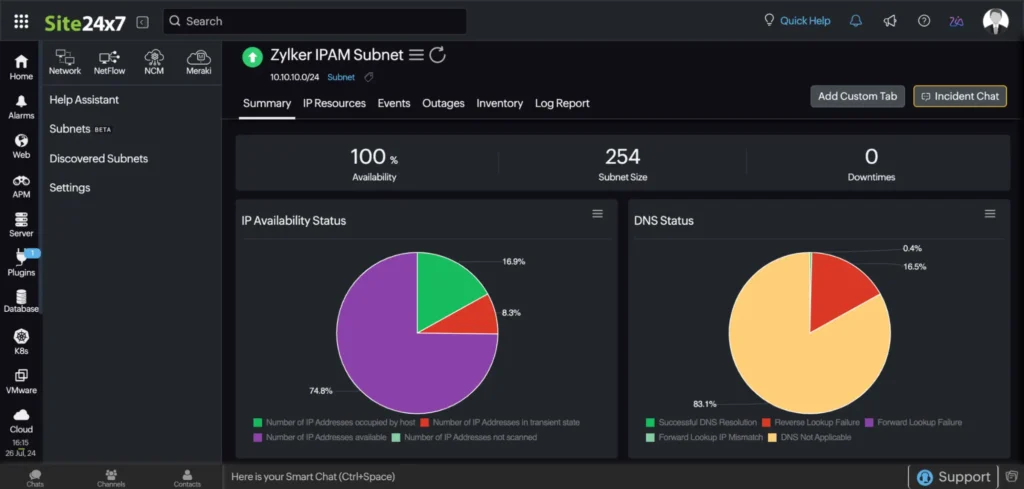
Source: Site24x7 IP and DNS status dashboard
Best for: Organizations that want DNS monitoring as part of a broader observability platform.
Site24x7 combines DNS monitoring with infrastructure, application, network, and website monitoring in a single platform. Rather than focusing only on DNS record changes, it helps operations teams understand whether a DNS issue is part of a larger infrastructure problem.
It supports DNSSEC validation, monitors from more than 130 global locations, and includes built-in diagnostics to identify where DNS failures originate. For teams already using Site24x7 across their infrastructure, DNS monitoring fits naturally into existing workflows.
Smaller organizations that only need DNS record monitoring may find the platform more complex than necessary.
| Pros | Cons |
| True DNSSEC validation with full chain coverage | Interface is dense for teams that only need DNS monitoring |
| 130+ global locations | Feature breadth increases onboarding time |
| Automated root cause analysis (ping, traceroute, MTR) | Costs rise as servers and agents are added |
| All-in-one observability if you already need that coverage | Overkill for change alerting alone |
3. Dotcom-Monitor
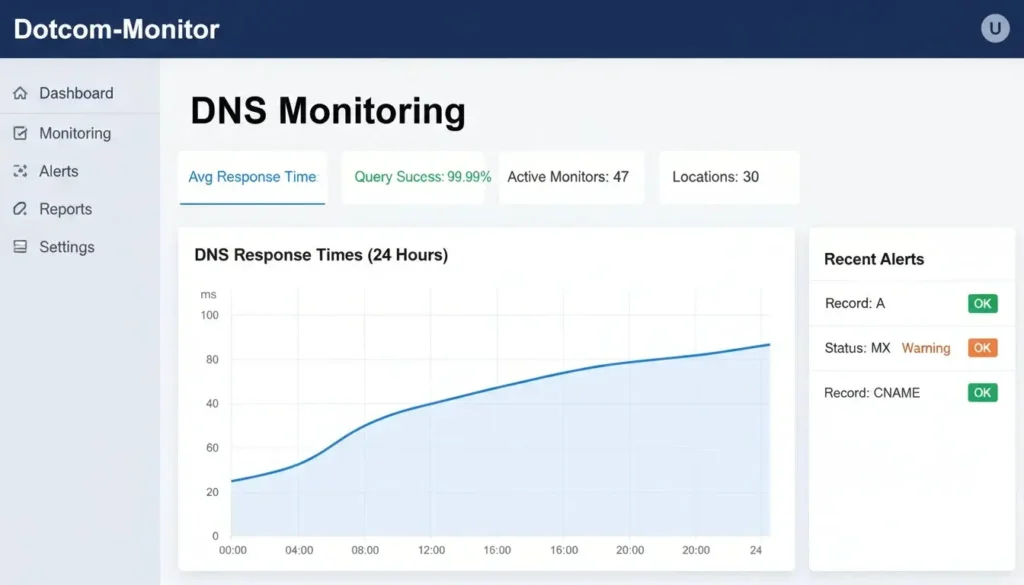
Source: Dotcom-Monitor DNS monitoring dashboard
Best for: Organizations that need detailed DNS diagnostics without moving to an enterprise platform.
Dotcom-Monitor goes beyond basic record monitoring by querying authoritative nameservers directly and validating the complete DNSSEC trust chain. That makes it a strong choice for businesses where DNS availability is critical and configuration issues need to be diagnosed quickly.
Its global monitoring network and detailed latency reporting also make it useful during DNS migrations or registrar changes, when propagation and resolver consistency become important.
For straightforward DNS change monitoring, however, much of this functionality may be unnecessary.
| Pros | Cons |
| Queries authoritative servers directly, not cached resolvers | Cost scales with targets and locations |
| Full DNSSEC chain validation (DS to DNSKEY to RRSIG) | Interface less polished than newer platforms |
| p50/p95/p99 latency tracking across 30+ locations | Free tier limited to 2 check locations |
| Free tier available | More complex setup than basic uptime tools |
4. Catchpoint
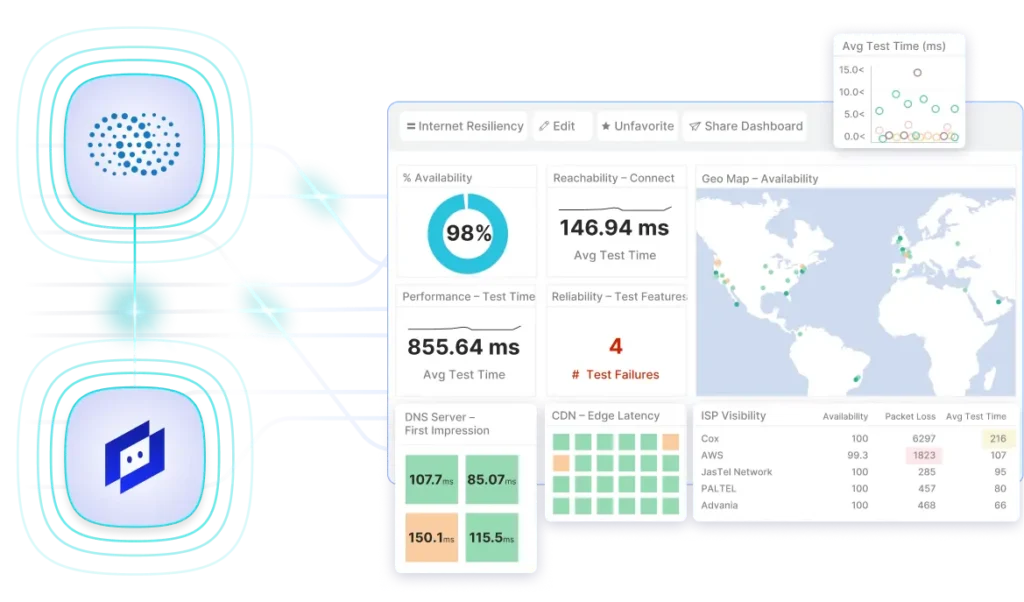
Source: Catchpoint dashboard example
Best for: Large enterprises monitoring internet performance at global scale.
Catchpoint treats DNS as one component of overall internet performance. Alongside DNS monitoring, it measures latency, packet loss, routing, and user experience from thousands of global locations, helping large organizations identify where connectivity problems begin.
The platform is particularly valuable for organizations operating worldwide applications where DNS issues often overlap with network or CDN problems.
Its enterprise pricing and operational complexity make it difficult to justify for teams that only need DNS monitoring.
| Pros | Cons |
| 1,000+ global nodes without agent installation | $11,988/year minimum, steep for smaller teams |
| Full DNSSEC chain validation | Scope and complexity exceeds most teams’ DNS needs |
| Network-level correlation (latency, packet loss, RTT) | Requires process maturity to operationalize the data |
| Purpose-built for enterprise internet performance | Overkill if you just need change detection alerts |
5. ThousandEyes
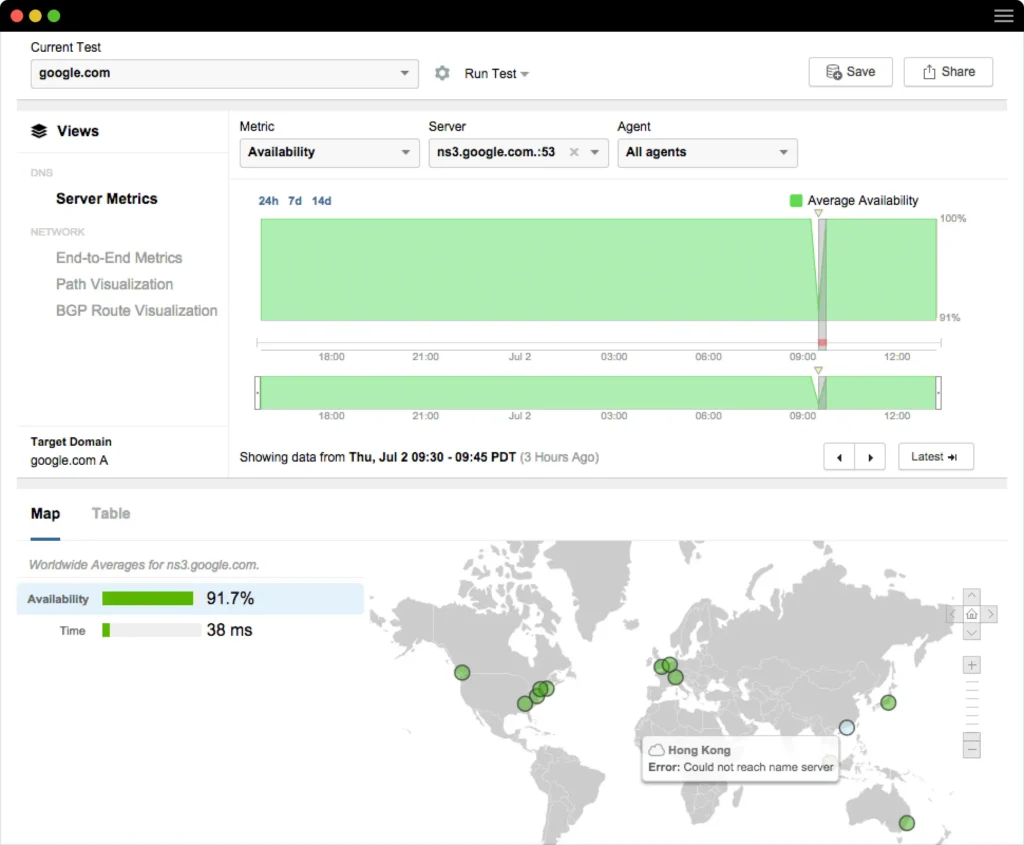
Source: ThousandEyes DNS performance monitoring dashboard
Best for: Enterprises investigating network and DNS problems together.
ThousandEyes combines DNS monitoring with deep network visibility, allowing teams to correlate DNS failures with routing changes, ISP issues, and internet path performance. Rather than simply reporting that DNS failed, it helps explain why.
This level of analysis is highly beneficial for large distributed organizations with dedicated networking teams.
For most smaller businesses, however, the platform provides considerably more functionality than they are likely to need.
| Pros | Cons |
| Correlates DNS failures with routing instability | Custom enterprise pricing, no self-serve tiers |
| Dedicated DNSSEC test coverage | Positioned for large organizations with dedicated NetOps teams |
| Network path analysis alongside DNS data | Complexity exceeds what most teams need for DNS alone |
| Enterprise-scale vantage points | Steep learning curve for teams new to network-layer monitoring |
6. Pingdom
[Image library]
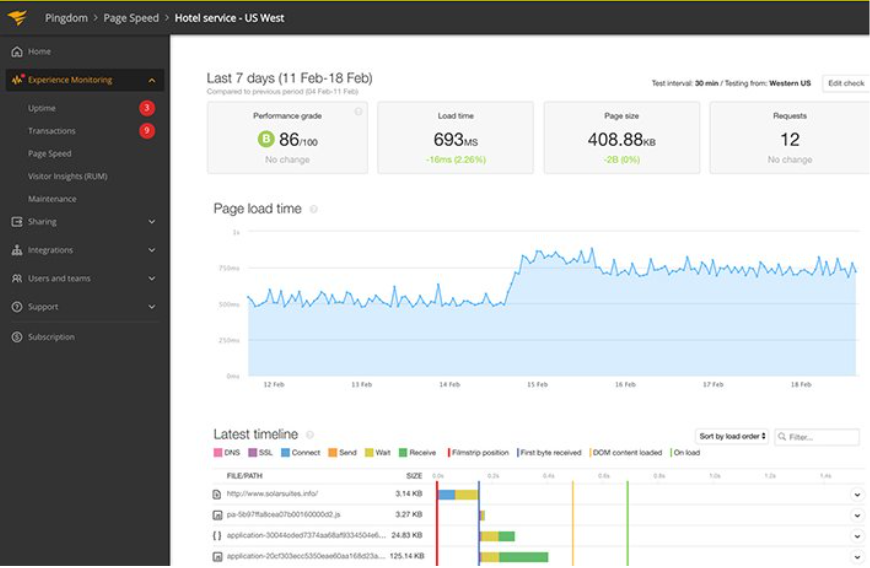
Source: Pingdom dashboard example
Best for: Teams already using Pingdom that need basic DNS resolution monitoring.
Pingdom’s DNS capabilities center on verifying that domains resolve correctly and measuring response times. Organizations primarily interested in confirming DNS availability alongside website uptime often find that to be enough.
Its DNS functionality is intentionally lightweight, with native monitoring focused mainly on A and AAAA records. Teams in need of broader record coverage or advanced DNS diagnostics will eventually reach Pingdom’s limits.
| Pros | Cons |
| 100+ global check locations | No DNSSEC validation |
| Simple, straightforward DNS resolution checks | Limited to A and AAAA records natively |
| Established platform with long track record | No free tier, trial only |
| Multi-step transaction monitoring alongside DNS | MX, TXT, SPF require workarounds |
7. Paessler PRTG
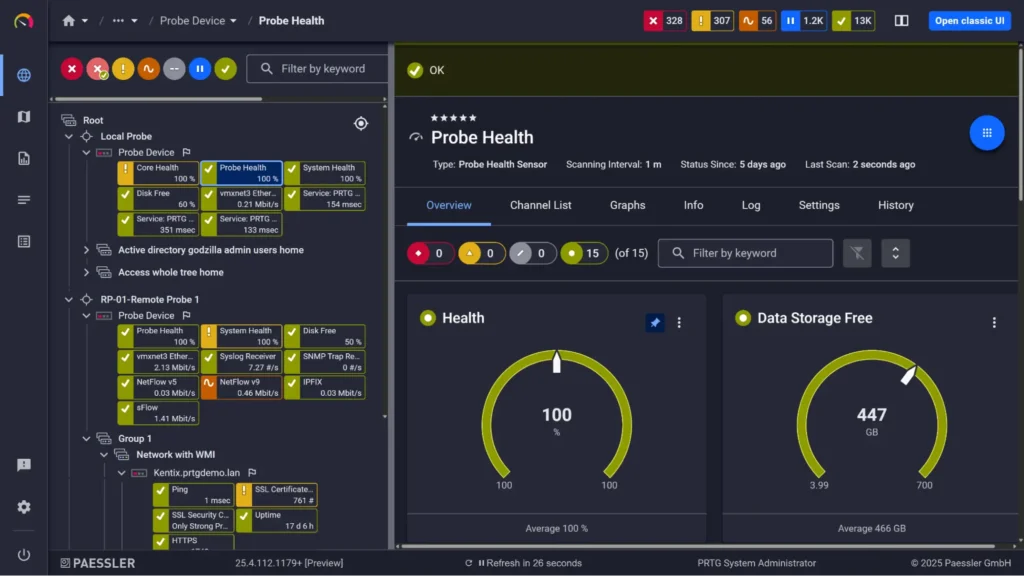
Source: PRTG DNS monitoring dashboard
Best for: IT teams monitoring internal infrastructure and private DNS environments.
PRTG approaches DNS monitoring from an infrastructure perspective. It monitors DNS servers, measures lookup performance, and integrates DNS health into broader network monitoring that includes routers, switches, and servers.
It’s a strong choice for organizations that want DNS monitoring as part of broader network infrastructure monitoring.
Organizations looking only for external DNS monitoring may find PRTG more complex than necessary.
| Pros | Cons |
| Strong internal network and private-zone visibility | DNSSEC limited to DNSKEY presence, no chain validation |
| On-premise sensor deployment for isolated environments | Perpetual license model, not SaaS |
| Unified view with routers, switches, and traffic data | Heavy setup compared to hosted DNS monitoring tools |
| Highly configurable alert thresholds | Not suited for teams monitoring only public-facing records |
8. StatusCake
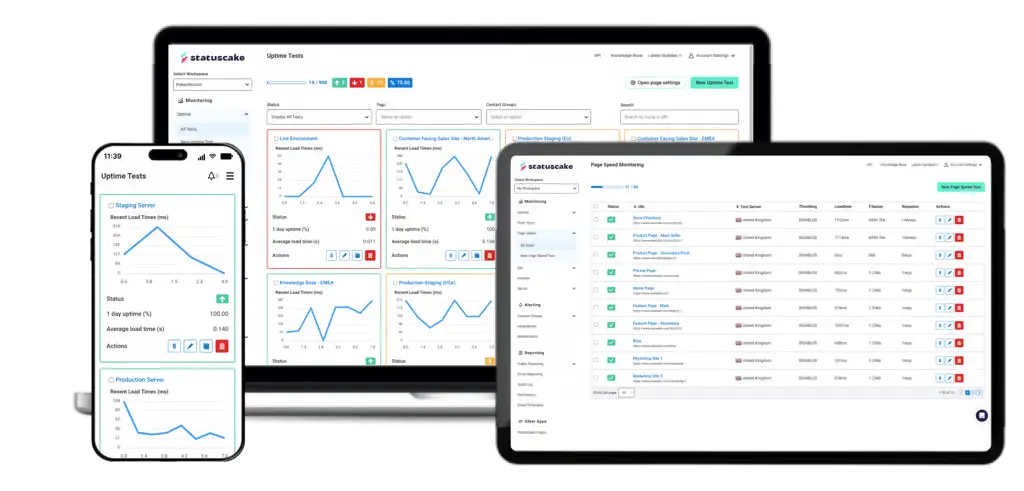
Source: StatusCake dashboard examples
Best for: Agencies and small businesses that want several domain health checks in one service.
StatusCake combines DNS monitoring with domain expiration monitoring and IP blacklist checks, making it useful for organizations managing multiple customer domains. Rather than specializing in DNS diagnostics, it focuses on providing practical monitoring for common domain-related issues.
It works well for straightforward DNS monitoring but doesn’t include advanced capabilities such as authoritative-path analysis or DNSSEC validation.
| Pros | Cons |
| Bundles DNS, domain expiry, and blacklist monitoring | No DNSSEC validation |
| Useful for agencies managing many client domains | No authoritative-path diagnostics |
| Free tier available | Free plan limited to 10 monitors |
| Monitoring across 30 countries |
9. Instatus
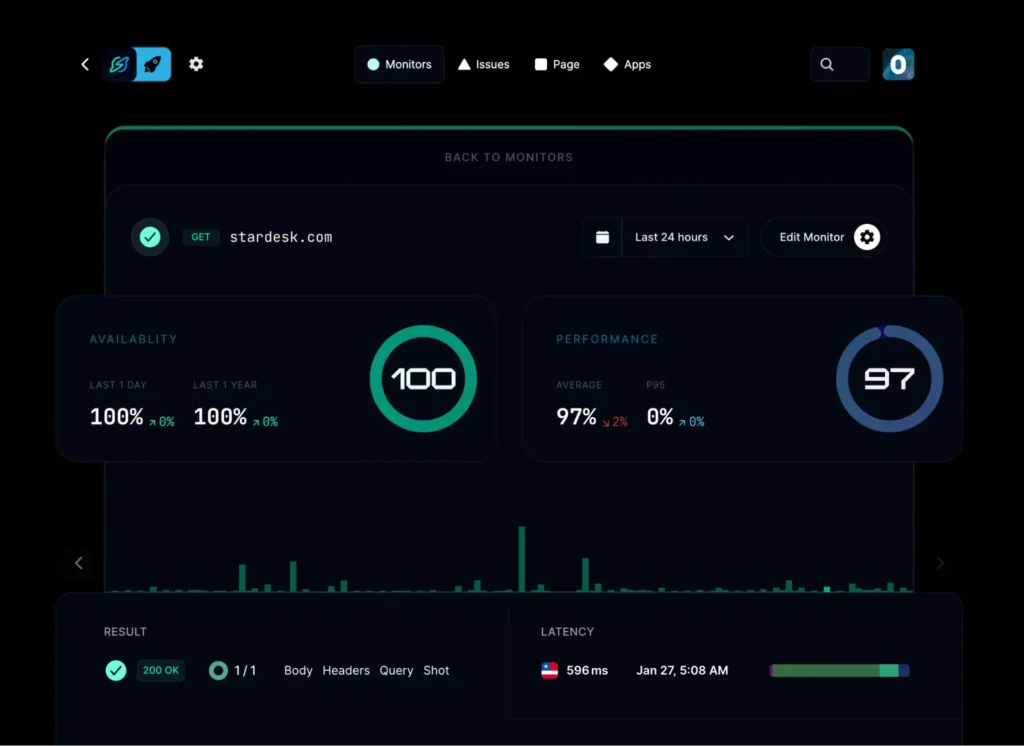
Source: Instatus DNS monitoring dashboard
Best for: Teams that want simple DNS monitoring together with public status pages.
Instatus focuses on lightweight synthetic monitoring and incident communication rather than advanced diagnostics. DNS monitoring sits alongside HTTP, TCP, SSL, and keyword monitoring, making it a convenient choice for organizations already using the platform for public status pages.
It’s easy to deploy and covers the basics well, although teams with more demanding DNS requirements will likely need a dedicated monitoring platform as they grow.
| Pros | Cons |
| Status pages included on every plan | No DNSSEC validation |
| Free starter tier | Large pricing jump between Pro ($20) and Business ($300) |
| DNS alongside HTTP, TCP, SSL, and keyword checks | Limited check locations |
| Simple, developer-friendly setup | Not built for deep DNS diagnostics |
10. ManageEngine (Applications Manager / DDI Central)
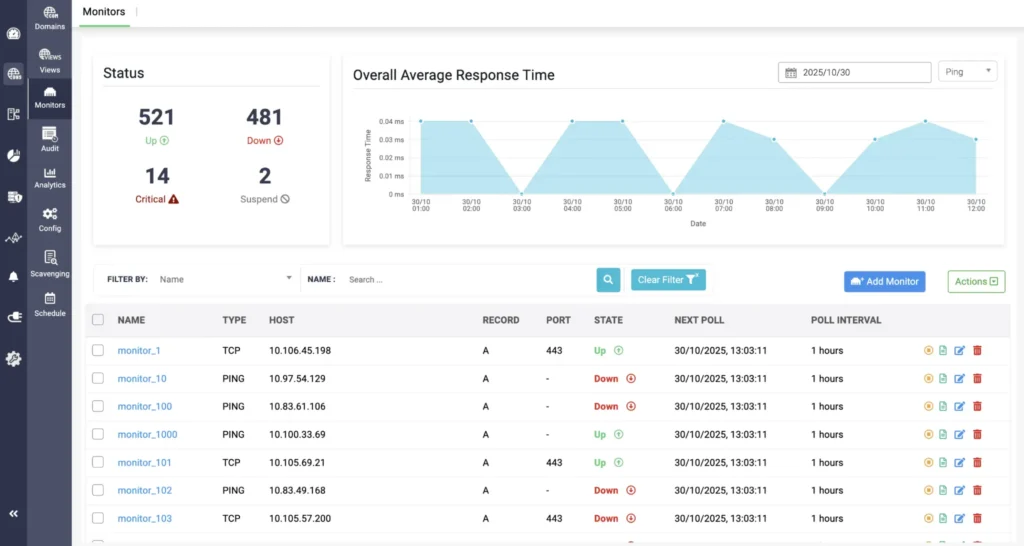
Source: ManageEngine DNS record monitoring dashboard
Best for: Organizations that manage their own DNS infrastructure.
ManageEngine DDI Central combines DNS management, DHCP, and IP address management in a single platform. It’s designed for IT teams running their own DNS services rather than organizations that only need to monitor public DNS records.
Alongside DNSSEC support, it provides centralized administration for large DNS environments. It’s a good fit if you manage DNS internally, but much more than most teams need for monitoring public DNS records.
| Pros | Cons |
| DNSSEC signing and validation for internally managed zones | $3,199/year starting price, enterprise-oriented |
| DNS, DHCP, and IPAM management in one platform | Designed for on-premise IT ops, not external SaaS monitoring |
| Covers both external monitoring and internal zone management | Heavy deployment and ongoing maintenance commitment |
| Good for large organizations already in the ManageEngine ecosystem | Overkill for teams only watching public-facing DNS records |
How to choose the right DNS monitoring tool
The right tool depends on how much visibility you need into your DNS.
Record coverage
Basic tools monitor common record types and alert you when they change. More advanced platforms add DNSSEC validation and deeper diagnostics, which are mainly useful if you manage your own DNS infrastructure.
Check frequency and alerting
Choose a tool that checks often enough for your environment and integrates with the alerting platform your team already uses. Multi-location checks become more valuable as your users and services spread across different regions.
Public vs. internal DNS
Hosted monitoring services work well for public-facing domains. If you also manage private DNS zones or Active Directory, you’ll need a platform that supports internal infrastructure monitoring.
Pricing
Free plans are usually enough to validate your monitoring workflow. Paid plans typically add faster checks, more monitors, and advanced features, while enterprise platforms are best suited to large environments that need deeper DNS diagnostics.
Conclusion
DNS issues don’t always look like outages. A changed record, failed resolution, or expired DNSSEC configuration can disrupt websites and email while every uptime check still reports that the service is available.
Most teams don’t need enterprise-grade DNS diagnostics. Reliable DNS change detection, timely alerts, and broad record coverage are enough to catch the majority of problems before they affect customers.
If you already use UptimeRobot, adding DNS monitoring keeps DNS, uptime, SSL certificates, and domain monitoring in one dashboard, making it easier to catch configuration changes before they affect customers.
-
Look for support for the DNS record types you use, frequent checks, multi-location monitoring, and alerting that integrates with your existing workflow. If you manage signed DNS zones, DNSSEC monitoring may also be important.
-
An uptime monitor checks whether your website responds. It may not detect DNS problems such as incorrect records, failed resolution, or hijacking. DNS monitoring catches those issues before they become customer-facing outages.
-
A DNS lookup shows how a domain resolves at one moment in time. DNS monitoring continuously checks your records and alerts you when they change or stop resolving correctly.
-
UptimeRobot monitors DNSSEC-related records and alerts you when they change, but it doesn’t perform full DNSSEC chain validation. If you manage signed DNS zones and need deeper DNSSEC diagnostics, a specialized platform is a better fit.