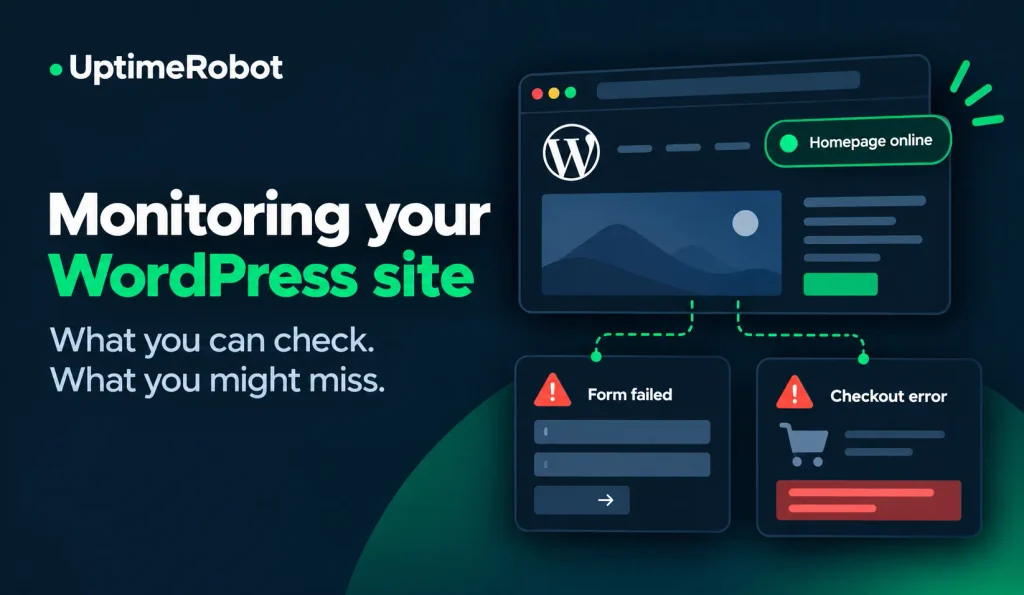
Your WordPress website is online, but customers are reporting problems with checkout. Your uptime monitor hasn’t sent a single alert.
That’s because website availability and website functionality aren’t the same thing. A page can load successfully while its forms, plugins, or checkout process aren’t working.
Here’s what uptime monitoring can detect on a WordPress or WooCommerce site, where its limitations are, and which additional checks can catch problems a standard uptime monitor might miss.
What uptime monitoring can and can’t detect
Uptime monitoring can detect more than a website going offline. Depending on the checks you configure, you can track individual pages, missing content, response times, SSL certificates, DNS changes, and API responses.
1. Whether your homepage and important URLs respond
An HTTP(S) monitor checks whether a specific URL responds as expected. Your homepage is a good starting point, but you should also monitor important pages such as product listings, search results, login pages, and checkout.
A theme update or plugin conflict could break a product page while the homepage continues working normally. Monitoring these URLs separately can catch problems that a homepage check would miss.
UptimeRobot’s website monitoring checks the URLs you configure, so you’ll need to select the pages that matter most to your visitors.
Note: A successful HTTP response doesn’t mean everything on the page works. Images or scripts could fail to load, the layout could be broken, or customers might be unable to complete a purchase even though the checkout page responds normally.
2. Whether expected content is present
A page can return a successful HTTP response while displaying an error message or missing important content. Keyword monitoring checks for specific phrases and alerts you when expected text disappears or unwanted text appears.
For WordPress sites, you could monitor a page heading, product name, or text associated with an add-to-cart button. You can also alert on unwanted text, such as “There has been a critical error on this website” or “Error establishing a database connection.”
UptimeRobot’s keyword monitoring checks the raw HTML returned by the server, so the selected text must appear in the page source rather than being added later by JavaScript.
Note: Keep in mind that finding the words “Add to cart” doesn’t mean the button actually works. Similarly, detecting a contact form doesn’t confirm that submissions go through or notification emails arrive. Keyword monitoring checks for text, not whether the associated functions work.
3. Whether HTTPS certificates and DNS records need attention
An expired SSL certificate or unexpected DNS change can make your WordPress site inaccessible, even when the server itself is running normally.
UptimeRobot’s SSL Monitoring detects certificate issues and upcoming expiration dates. This feature is available on paid plans.
DNS Monitoring alerts you when selected DNS records change from their expected values, including A, AAAA, CNAME, MX, NS, and TXT records.
Note: Neither check replaces HTTP monitoring, which tests whether your website responds. You can also use domain expiration monitoring to track when your domain registration is due to expire.
4. Whether response times are getting worse
Slow response times can be an early warning sign of performance problems, even if your WordPress site is still online.
Response time monitoring tracks how quickly monitored URLs respond and can alert you when response times exceed a configured threshold.
Note: Response time isn’t the same as full page-load speed. It won’t tell you whether a plugin, database query, image, or third-party script is causing the slowdown. You’ll need additional WordPress, hosting, or browser diagnostics to investigate the cause.
5. Whether a specific API endpoint returns the expected result
WordPress plugins and WooCommerce extensions often rely on APIs that can malfunction even when the website itself is online. An endpoint might return a successful HTTP status code but contain incorrect or unusable data.
API monitoring can check response codes, headers, response content, and specific JSON fields to identify problems that a basic uptime check might miss.
Note: A successful API check doesn’t guarantee that every plugin or customer-facing feature relying on that API works correctly. Each monitor only verifies the endpoint and conditions you’ve configured.
What uptime monitoring can’t automatically know
Even with multiple monitors configured, certain WordPress problems can go unnoticed if they don’t affect the URLs or conditions being checked.
Common examples include:
- Plugin failures: A plugin can stop working without affecting the monitored page’s HTTP response.
- Broken contact forms: A form might display normally even when submissions fail or notification emails aren’t delivered.
- Checkout errors: A checkout page can load successfully while customers encounter errors when adding products, entering payment details, or placing orders.
- Failed scheduled tasks: Backups, imports, and other background jobs can stop running without affecting website availability. UptimeRobot’s cron job monitoring can track these tasks when they’re configured to send a heartbeat.
- JavaScript rendering issues: A page might load correctly at the server level but display incorrectly in the browser. HTTP and keyword checks won’t necessarily detect these problems.
- Cached pages hiding failures: If you use a caching plugin or CDN, visitors and monitors can receive a cached copy of a page while PHP or the database is down. Monitor at least one URL that isn’t cached, such as the login page or a REST API endpoint, to see what the server itself is returning.
Testing complete workflows, such as submitting a contact form or placing an order, requires additional tools that can simulate user interactions.
How to set up WordPress and WooCommerce monitoring
A good monitoring setup covers your site’s availability, performance, and the functions visitors rely on most. Here’s where to start:
- Monitor your homepage: Set up a basic HTTP(S) check to detect when your website becomes unavailable.
- Add important URLs: Monitor product pages, search, login, and checkout separately to catch problems that don’t affect the homepage.
- Check for expected content: Use keyword monitoring to detect missing text or unexpected error messages. Choose stable phrases that appear in the raw HTML.
- Monitor SSL certificates, DNS records, and domain expiration: These checks can catch issues that a standard HTTP monitor might miss.
- Track response times: Set alerts for slow responses based on your site’s normal performance.
- Check critical APIs: Monitor relevant endpoints and validate the response data your integrations depend on.
- Test important workflows: Use synthetic browser tests to check form submissions, logins, or checkout transactions. Configure tests carefully to avoid sending unwanted messages, charging real payment methods, or creating unintended orders.
- Monitor scheduled tasks: Set up heartbeat checks for important WordPress cron jobs, backups, or imports to detect when they stop running.
For more detailed setup instructions, read our WordPress uptime monitoring guide. You can also explore the different checks available in our guide to uptime monitoring types.
Keep an eye on more than uptime
A green uptime monitor doesn’t necessarily mean your WordPress site is working as expected. Individual pages, plugins, forms, and checkout processes can fail while your homepage remains accessible.
Monitoring critical URLs, content, response times, and supporting services gives you a clearer picture of your site’s health. For functionality that requires user interaction, such as submitting a form or completing a purchase, you’ll need additional testing.
Ready to monitor your WordPress site? Sign up for UptimeRobot and start tracking your website’s availability and performance.
-
Yes, if the failure affects a monitored URL, keyword, response time, or API response. Problems that don’t change any monitored signal require more specific checks or WordPress diagnostics.
-
You can monitor the checkout page’s availability, but that won’t confirm that customers can complete purchases. Testing the entire process requires a synthetic transaction test configured to avoid unintended orders or charges.
-
No. UptimeRobot’s Keyword Monitoring checks the raw HTML returned by the server. It won’t detect text added later by JavaScript.
-
Not necessarily. Your homepage can respond normally while product pages, search, cart, checkout, or payment integrations are experiencing problems. Monitor critical URLs separately and use additional checks for functionality that HTTP monitoring can’t verify.