TL;DR: Get a free, customizable SLA template in Word, Google Docs, or PDF, complete with sample clauses and a filled-in uptime SLA example. Use it to define service commitments, measurement rules, exclusions, and remedies.
A service level agreement puts your service promises in writing, from uptime guarantees to support response times. Our free SLA template gives you a ready-made structure you can adapt to your business, along with examples of how to word the terms.
Setting an uptime target? The free SLA calculator shows how much downtime it allows, and SLA monitoring in UptimeRobot tracks whether you meet it.
Download your free SLA template
Pick up from the pre-made templates below and choose your preferred format. No email address required.
For SaaS, hosting, or website availability commitments, use the Uptime SLA template instead. It includes uptime measurement rules, maintenance exclusions, and example service credits.
Which SLA template do you need?
| Template | Best for | Download |
|---|---|---|
| Simple SLA | IT support and managed services with response and resolution targets | Google Docs (make a copy) Word PDF (to read or print) |
| Uptime SLA | SaaS, hosting, and websites with availability commitments | Google Docs (make a copy) Word PDF (to read or print) |
| Internal SLA | Agreements between departments, similar to operational level agreements (OLAs) | Google Docs (make a copy) Word PDF (to read or print) |
The full SLA template (copy and paste)
Replace the details in square brackets with terms that fit your service. These clauses are examples, not legal advice. Have the final agreement reviewed before signing.
1. Agreement Overview and Parties
Identify the provider, customer, service, effective date, and agreement version.
Sample clause: This Service Level Agreement (“Agreement”), ID [Agreement ID], is between [Provider Name] (“Provider”) and [Customer Name] (“Customer”). It covers [Service Name], takes effect on [Effective Date], and remains in force until replaced or terminated under Section 9.
2. Services Covered
Define what’s included and excluded.
Sample clause: The Provider will supply [hosting of the production website], [email support], and [monthly reports]. The following are excluded: [custom development], [customer-installed third-party software], and [on-site support].
3. Service Level Targets
Specify uptime, its measurement period, and response and resolution times.
Sample clause: The Provider will maintain [99.99%] availability for [Service Name] in each [calendar month]. Incident response and resolution times are measured from [customer report or monitoring detection] according to the following priorities:
| Priority | Definition | Response time | Resolution time |
|---|---|---|---|
| Critical | [Service unavailable] | [15 minutes] | [4 hours] |
| Major | [Major feature unavailable] | [1 hour] | [8 hours] |
| Minor | [Limited impact] | [1 business day] | [5 business days] |
Tip: Check the downtime budget for each target before committing to one.
4. How Service Is Measured and Reported
State who measures availability, how downtime is confirmed, and when reports are shared.
Sample clause: Availability will be measured by [external monitoring provider], checking [Service URL] every [60 seconds] from [three] locations. Downtime is recorded when [two locations] confirm the service is unavailable. The Provider will send a report within [five business days] after each [calendar month].
External checks from multiple locations can reveal outages that internal server metrics miss.
5. Exclusions
Define which interruptions don’t count against the target.
Sample clause: Unavailability excludes (a) scheduled maintenance announced at least [48 hours] in advance, up to [four hours] per month; (b) [specified events outside the Provider’s control]; and (c) failures caused by the Customer’s systems, configuration, or misuse.
6. Service Credits and Remedies
State what happens if the provider misses its target, including claim deadlines and caps.
Sample clause: If monthly availability falls below [99.99%], the Customer may claim a credit against the next invoice:
| Monthly availability | Example credit |
|---|---|
| 99.9% to below 99.99% | [10% of monthly fee] |
| 99.0% to below 99.9% | [25% of monthly fee] |
| Below 99.0% | [50% of monthly fee] |
Remedies: Claims must be submitted within [30 days] after the affected month. Credits are capped at [50%] of that month’s fee. [Specify whether service credits are the Customer’s sole and exclusive remedy for missed service levels, or whether other remedies remain available under the main service agreement. Have this provision reviewed by legal counsel.]
7. Escalation Path
Give customers a clear route for unresolved incidents.
Sample clause: If an incident exceeds its resolution target, the Customer may contact Level 1: [Support team, contact details], response within [one hour]; Level 2: [Support manager], within [two hours]; and Level 3: [Operations lead], within [four hours].
8. Responsibilities
Explain what each party must do.
Sample clause: The Provider will meet the targets in Section 3, announce planned maintenance, and supply the reports in Section 4. The Customer will report incidents through [support channel], provide reasonable access for troubleshooting, and pay invoices under the agreed terms.
9. Review, Changes, and Termination
Choose one review schedule and define how terms change or end.
Sample clause: The parties will review this Agreement every [12 months]. Changes require written agreement and take effect on [agreed date]. Either party may terminate with [60 days’] written notice, subject to [applicable contract terms].
10. Signatures
Both parties sign and date the agreement.
| Provider | Customer | |
|---|---|---|
| Name | [Name] | [Name] |
| Role | [Title] | [Title] |
| Signature | [Signature] | [Signature] |
| Date | [Date] | [Date] |
Uptime SLA Template example (filled in)
Here’s the uptime template filled in for CloudDesk, a made-up SaaS company. The targets and credits are examples.
Availability: CloudDesk promises 99.99% availability per calendar month for its web app and API. That allows about 4 minutes 22 seconds of downtime in an average month.
Measurement: An external monitoring service checks the app and API every 60 seconds from several locations. A minute counts as downtime when at least two locations confirm a failure. CloudDesk publishes a monthly availability report.
Exclusions: Planned maintenance is excluded if announced at least 72 hours ahead, scheduled between 01:00 and 05:00 UTC, and limited to four hours per month. Customer-caused network or configuration failures are also excluded.
Service credits:
| Monthly uptime | Approximate downtime in an average month | Credit |
|---|---|---|
| 99.99% or higher | 4 min 22 sec or less | None |
| 99.9% to below 99.99% | More than 4 min 22 sec, up to 43 min 49 sec | 10% |
| Below 99.9% | More than 43 min 49 sec | 25% |
Claims: Customers email [billing contact] within 30 days after the affected month. Credits apply to the next invoice and are capped at 25% of that month’s fee.
What to include in an SLA (Checklist)
Before signing, check that the agreement covers:
- Provider and customer names, effective date, and agreement ID
- Included and excluded services
- Measurable targets and time periods
- Measurement methods and reporting frequency
- Maintenance and other exclusions
- Service credits, claim deadlines, and caps
- Escalation contacts and response times
- Responsibilities of both parties
- Review and change procedures
- Termination conditions
- Signatures and dates
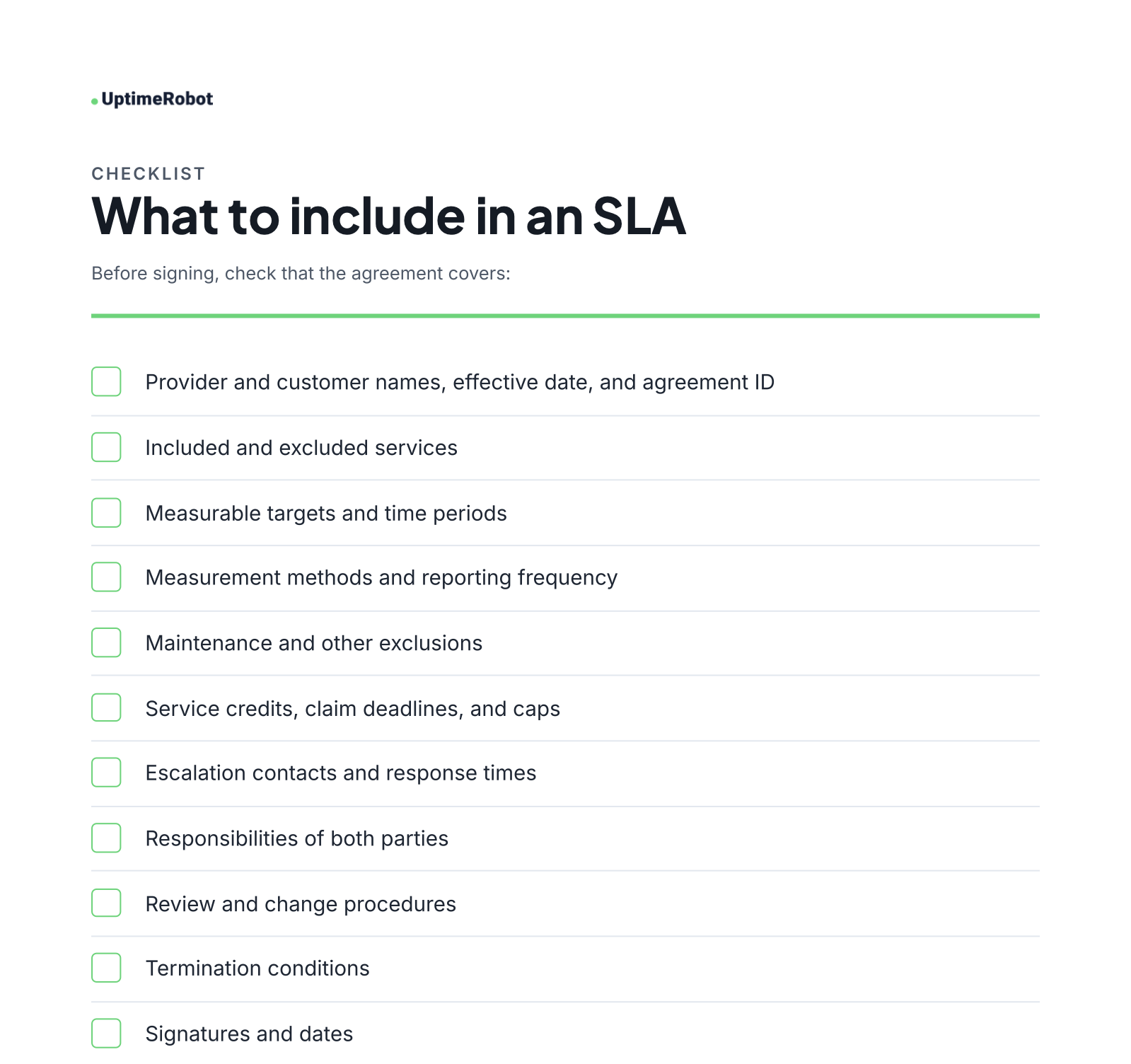
Download this checklist free (PDF)
Types of SLAs
SLAs generally fall into three categories. A customer-level SLA covers the services provided to a specific customer, while a service-level SLA sets the same standards for everyone using a particular service. A multi-level SLA brings these approaches together, with commitments that apply across the organization alongside terms for individual services or customers.
SLAs can also be used internally to define expectations between departments, such as IT and HR. These agreements are similar to operational level agreements (OLAs), but typically focus on responsibilities and performance targets rather than financial penalties.
Tip: For related definitions, see our posts SLA vs. SLO vs. SLI and What is an SLA?.
How to write an SLA, step by step
- Define the service: List the systems, endpoints, and support channels covered.
- Choose measurable targets: Include availability and any relevant response or resolution times.
- Check your performance history: Check at least a year of monitoring data and your providers’ SLAs before committing to an uptime target.
- Set exclusions: Explain how maintenance and customer-caused issues are handled.
- Define remedies: Specify credits, claim deadlines, and caps.
- Agree on reporting: Name the monitoring method and reporting schedule.
- Review regularly: Set a date to revisit the terms.
Common SLA mistakes
A long SLA can still fail if the targets are unrealistic or the terms are vague. Watch for these when you write or review one.
The watermelon effect
Your dashboard is green, but customers can’t reach your service. That’s the watermelon effect: internal checks show healthy servers while DNS, routing, or other external problems disrupt access. Monitor from outside your network and from multiple locations to catch more of what users experience.
Promising 100% uptime
A 100% commitment leaves no downtime allowance. Set a target based on historical performance and the remedies you’re prepared to offer. Providers that do promise 100%, such as Cloudflare for Business customers, back it with service credits for every outage.
Choosing too many or vague metrics
If a metric can’t be measured consistently, it can lead to disputes. Define a small set of relevant targets and how each is calculated.
Leaving out exclusions
Without maintenance rules and other exclusions, it’s unclear which outages count toward a credit claim.
Forgetting to review the agreement
Infrastructure and services change. Put a review schedule in writing.
Ignoring your providers’ limits
Check the SLAs of your hosting, DNS, cloud, and other providers. A host that commits to 99.95% can’t, by itself, support a 99.99% promise to your customers. UptimeRobot’s Third party monitoring can show when an upstream service has problems.
SLA examples from real companies
Big providers publish their SLAs, so you can see how they define availability, credits and exclusions. Here are three that do it differently:
| Provider | What its SLA illustrates |
|---|---|
| Amazon EC2 | 99.99% monthly uptime for EC2 running across two or more Availability Zones in a region, 99.5% for a single instance. Credits of 10%, 30% or 100% depending on how far uptime falls. |
| Google Workspace | 99.9% monthly uptime. Below that, the customer gets 3, 7 or 15 extra days of service added to the account, or a credit on the invoice for online billing customers. |
| Cloudflare Business | A 100% uptime commitment, with service credits calculated according to the agreement’s outage and affected-customer rules. |
Review the current terms before adapting any provisions to your own SLA.
How to monitor and prove you’re meeting your SLA
An uptime promise needs a measurement method. In UptimeRobot, you create an SLA policy with a target like 99.99%, a period and the monitors it covers. The policy’s uptime is the average of those monitors over the period.
Your SLA badge shows that uptime on your site, in your docs or in a GitHub README. It stays green while you’re on track and changes color when you drop below your target. You can link it to a status page for current status and incident history.
Planned maintenance windows don’t count against your SLA. When the period ends, the SLA report shows your uptime, the downtime budget you used and every monitor that went down.
The Free plan includes 1 SLA policy that covers every monitor in your account, with calendar month or rolling 30-day periods, the SLA badge and the SLA report. Paid plans add more policies, each covering the monitor groups you pick, quarterly and rolling 90-day periods, and maintenance windows.
See how SLA monitoring works in UptimeRobot, or read how to set up SLA badges.
Turn your SLA commitments into proof
Download the template, change the targets and terms to fit your service, then track whether you actually meet them.
UptimeRobot’s Free plan includes 50 monitors and 1 SLA policy, with no credit card required.
FAQs
What is an SLA template?
A prewritten service level agreement you can customize with your services, targets, measurement rules, and remedies.
What should be included in an SLA?
The parties, services, targets, measurement methods, exclusions, remedies, escalation process, responsibilities, review terms, and signatures.
How long should an SLA be?
Long enough to define the commitments clearly. The length depends on the service and what the main customer contract already covers.
Is an SLA legally binding?
It can be when incorporated into a contract. Legal effect depends on the agreement and applicable law. Have a qualified professional review it before signing.
What is a good uptime percentage to put in an SLA?
For SaaS and hosting, 99.99% per month is a strong target. It allows about 4 minutes 22 seconds of downtime in an average month. The right number depends on your service, your monitoring history, and your providers’ own SLAs. Compare downtime budgets for each target before you commit.
How often should an SLA be reviewed?
Annually is a practical starting point. Review sooner after major changes to the service or its infrastructure.
Can I use this template for my business?
Yes. Customize the sample terms for your services and have the completed agreement reviewed before signing.
-
A prewritten service level agreement you can customize with your services, targets, measurement rules, and remedies.
-
The parties, services, targets, measurement methods, exclusions, remedies, escalation process, responsibilities, review terms, and signatures.
-
Long enough to define the commitments clearly. The length depends on the service and what the main customer contract already covers.
-
It can be when incorporated into a contract. Legal effect depends on the agreement and applicable law. Have a qualified professional review it before signing.
-
For SaaS and hosting, 99.99% per month is a strong target. It allows about 4 minutes 22 seconds of downtime in an average month. The right number depends on your service, your monitoring history, and your providers’ own SLAs. Compare downtime budgets for each target before you commit.
-
Annually is a practical starting point. Review sooner after major changes to the service or its infrastructure.
-
Yes. Customize the sample terms for your services and have the completed agreement reviewed before signing.